Quick-Start
Categories:
Goal / when to use
Get first music out of a simple system: three speakers (Left, Right, Sub) on an MA32/D², with group volume/EQ and a stereo Dante source (for example Dante Virtual Soundcard).
This is a guided walkthrough. For deeper topics afterward, use Build a system and Everyday control.
Prerequisites
- Maxx Remote installed and running (Installation)
- Amplifier on the network (Prerequisites, IDFM / install)
- Speakers on amp channels 1, 4, and 9 (or adapt the link steps)
- Dante TX available (hostname + transmit channel names)
1. Create a project
- Start Maxx Remote. On the splash screen, click Start a new project.
- Enter a project name and confirm.
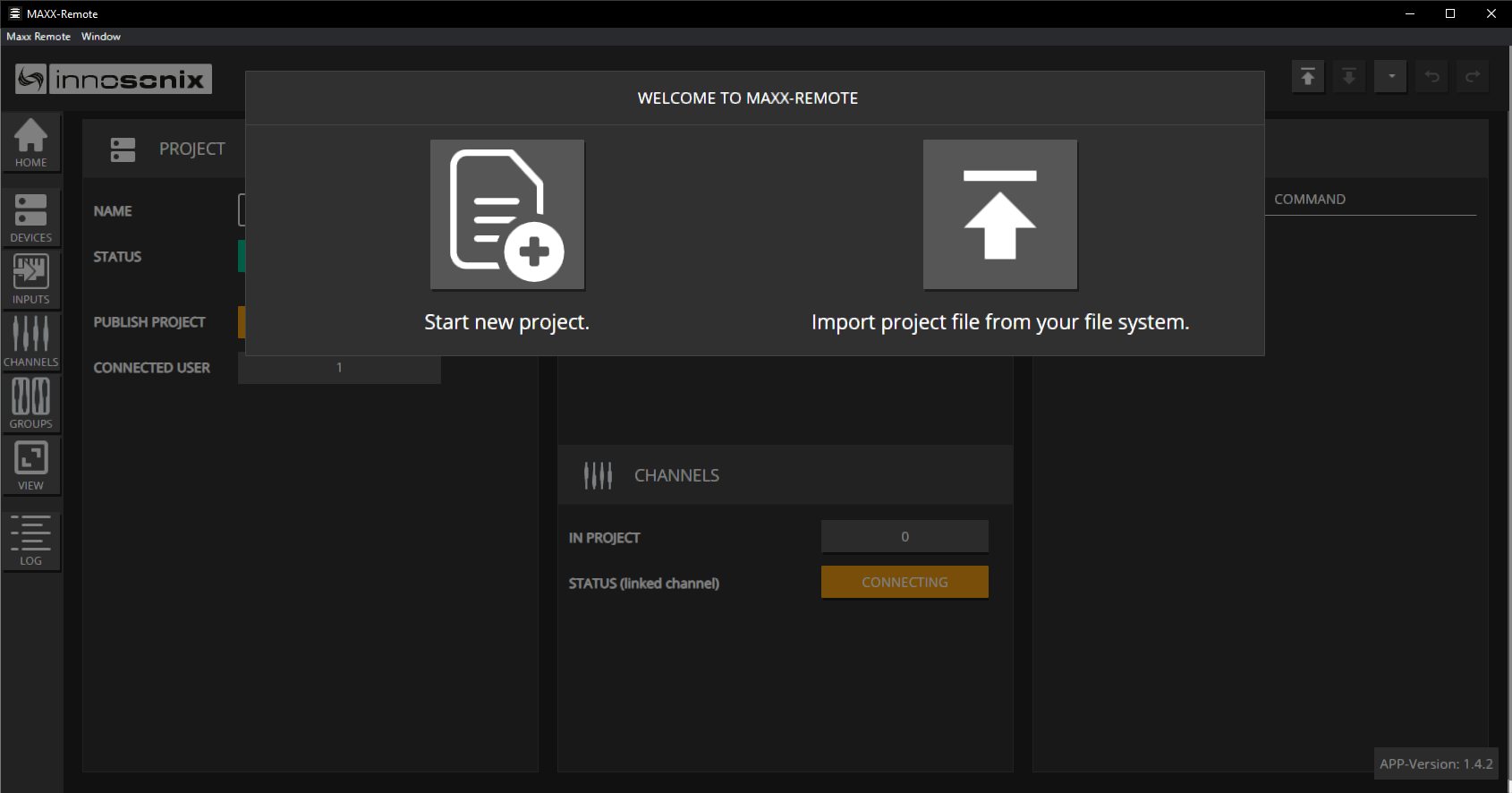
Expected result
HOME opens for the new project.
2. Create channels and a group
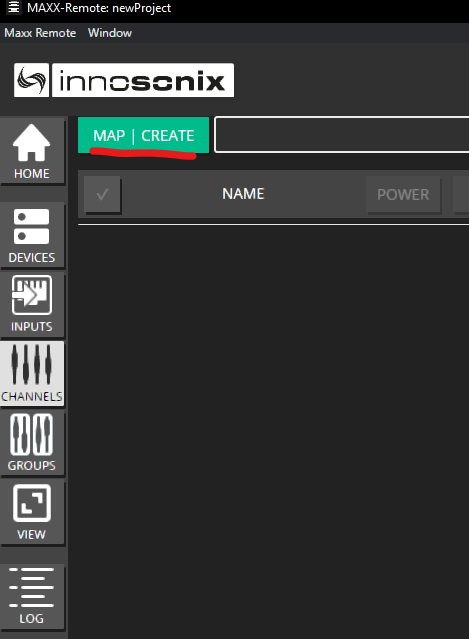
Open CHANNELS → MAP | CREATE.
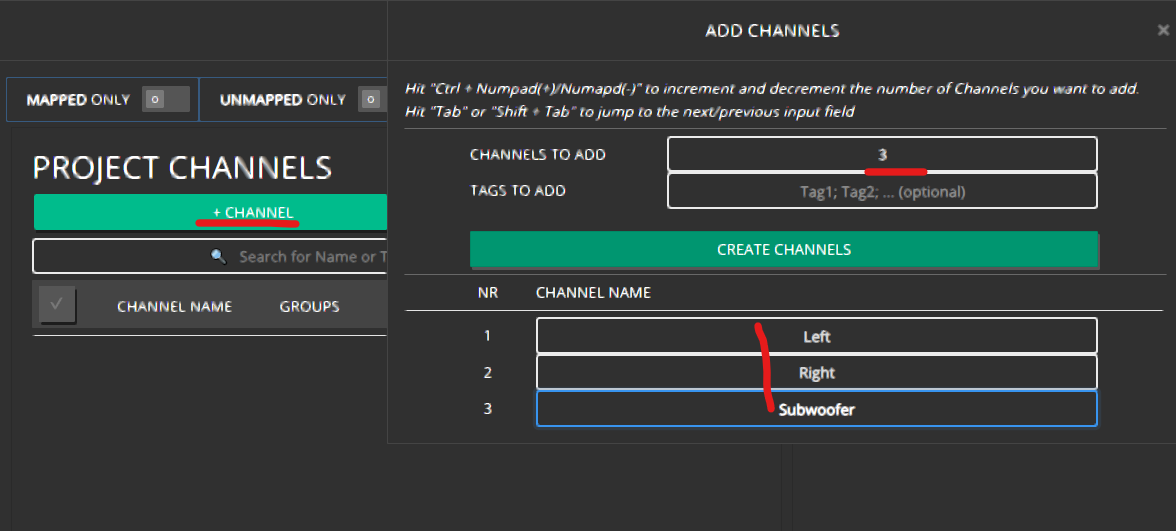
Click + CHANNEL, set CHANNELS TO ADD to 3, name them (for example Left, Right, Subwoofer), then CREATE CHANNELS.
Confirm the three PROJECT CHANNELS exist. LINKED TO is empty until you connect hardware.
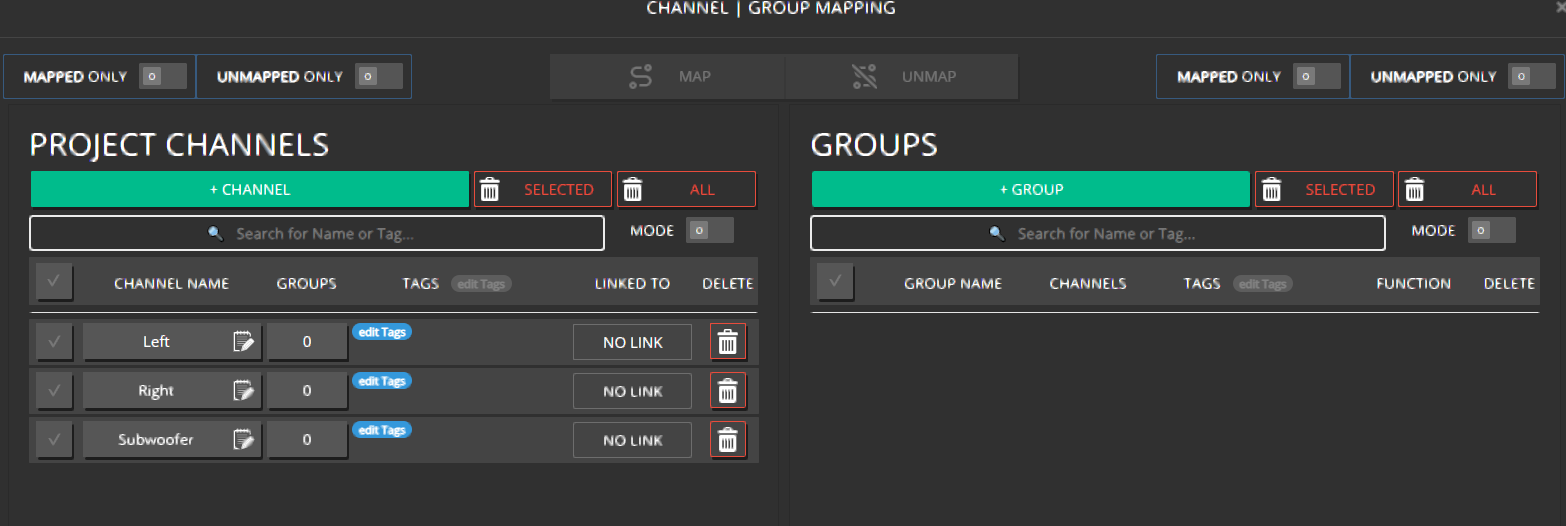
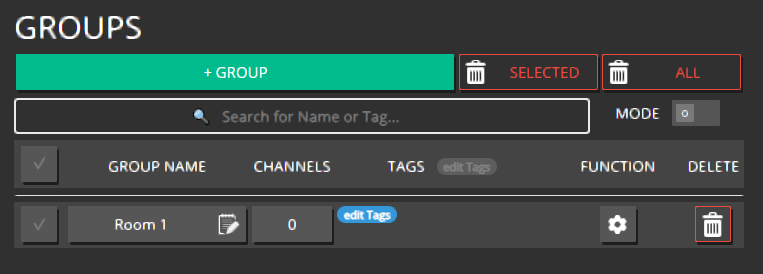
Click + GROUP, name it (for example ROOM 1), and create it.
Map all three channels into the group: drag and drop, or select them and click MAP.
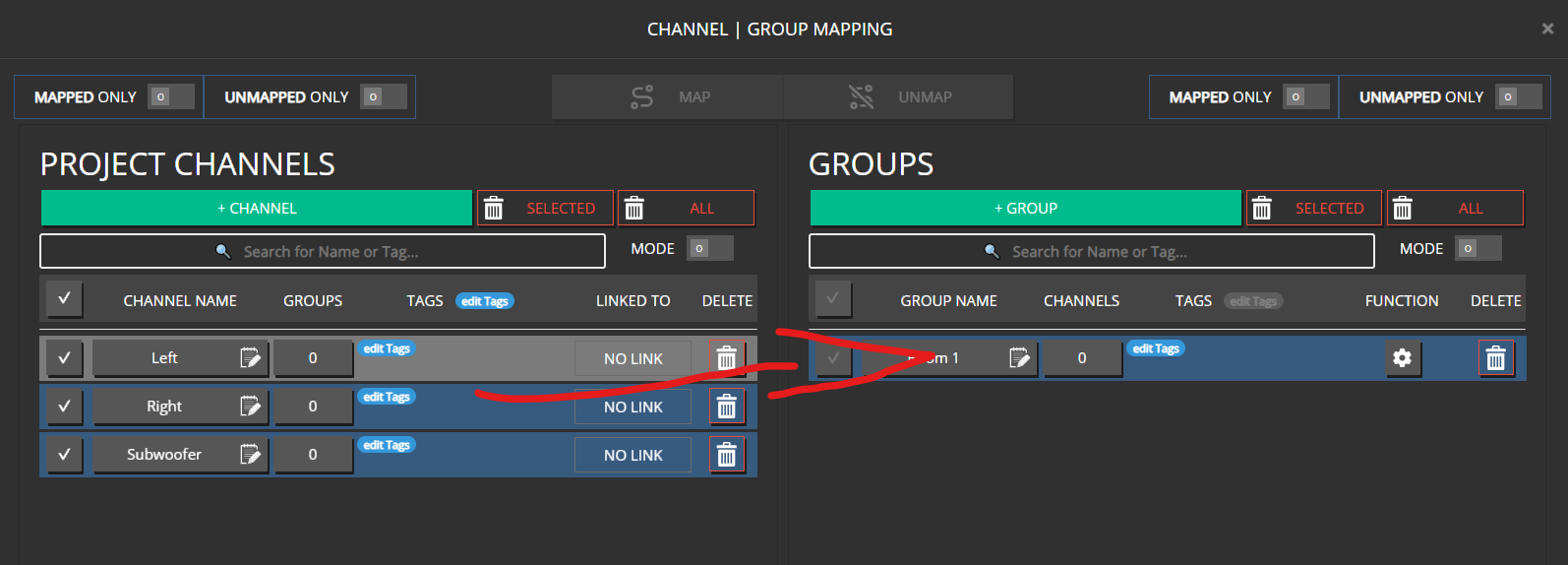
A channel can belong to multiple groups at the same time.
Expected result
Three unlinked channels mapped to ROOM 1.
3. Add the amplifier and link outputs
Open DEVICES → ADD DEVICE.
Add a device found on the network, or add manually (model + hostname).
Disable CREATE CHANNELS / GENERATE PROJECT CHANNELS if offered — you already created the three you need.
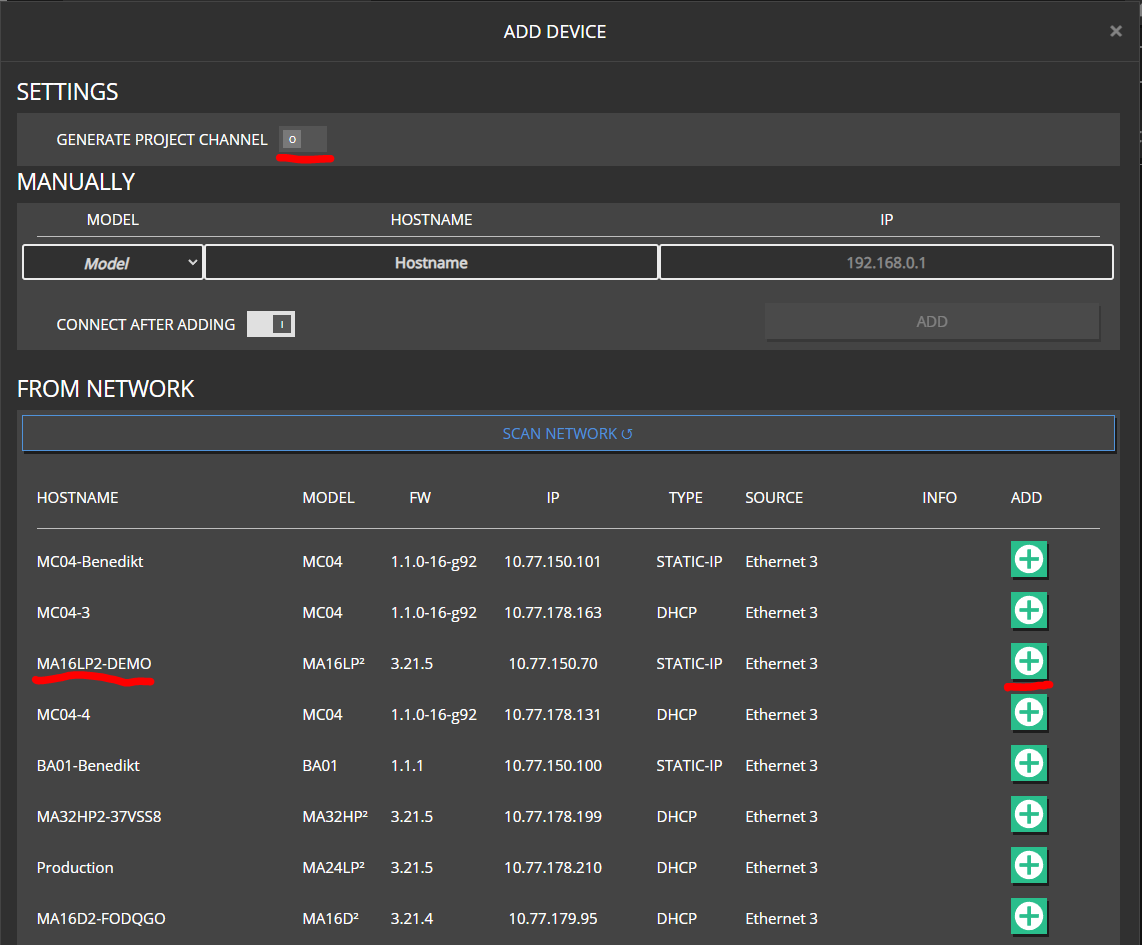
A fixed IP is optional. Without it, hostname is resolved via discovery. For fixed installs, enter an IP to speed up reconnects.
Wait until Maxx Remote connects. Use CONNECT to disable network activity if needed.

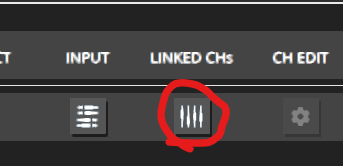
Open the LINK CHs (linked channels) control.
Use IDENTIFY to play a test tone (for example pink noise at −40 dB) and confirm the physical speaker.
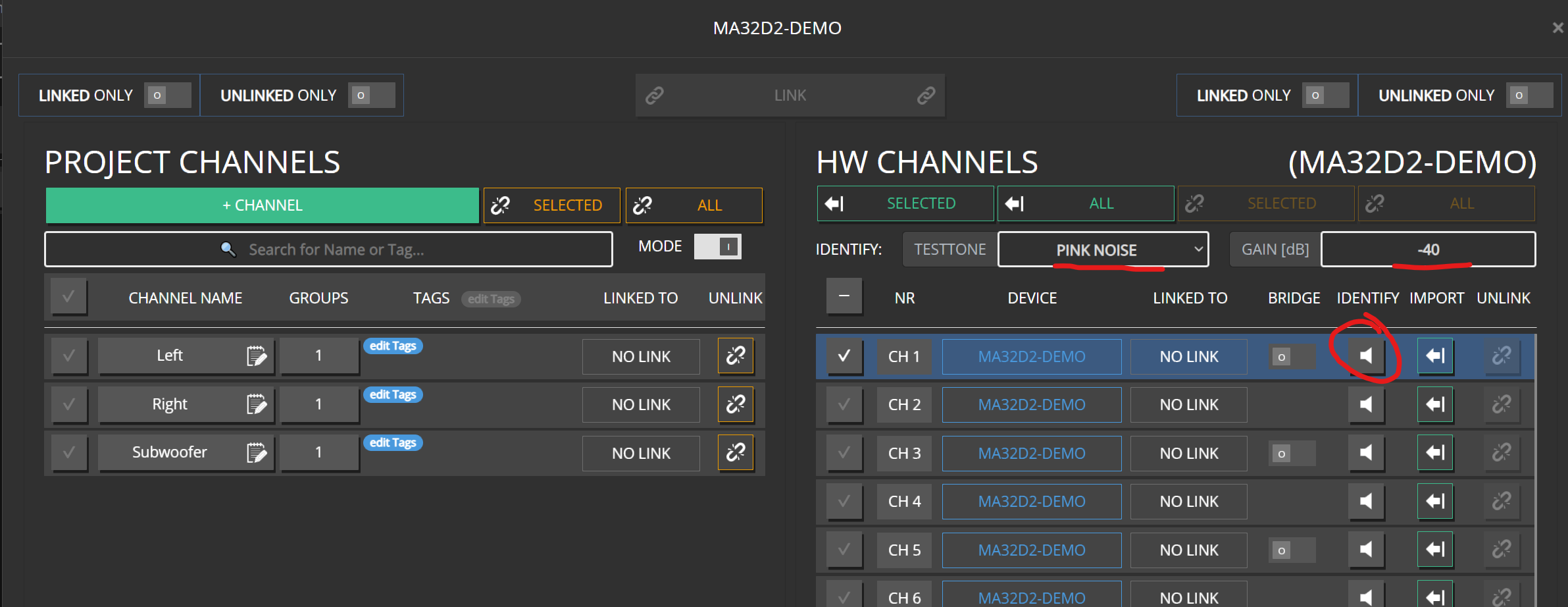
Link each project channel to the correct HW channel (drag and drop or LINK).
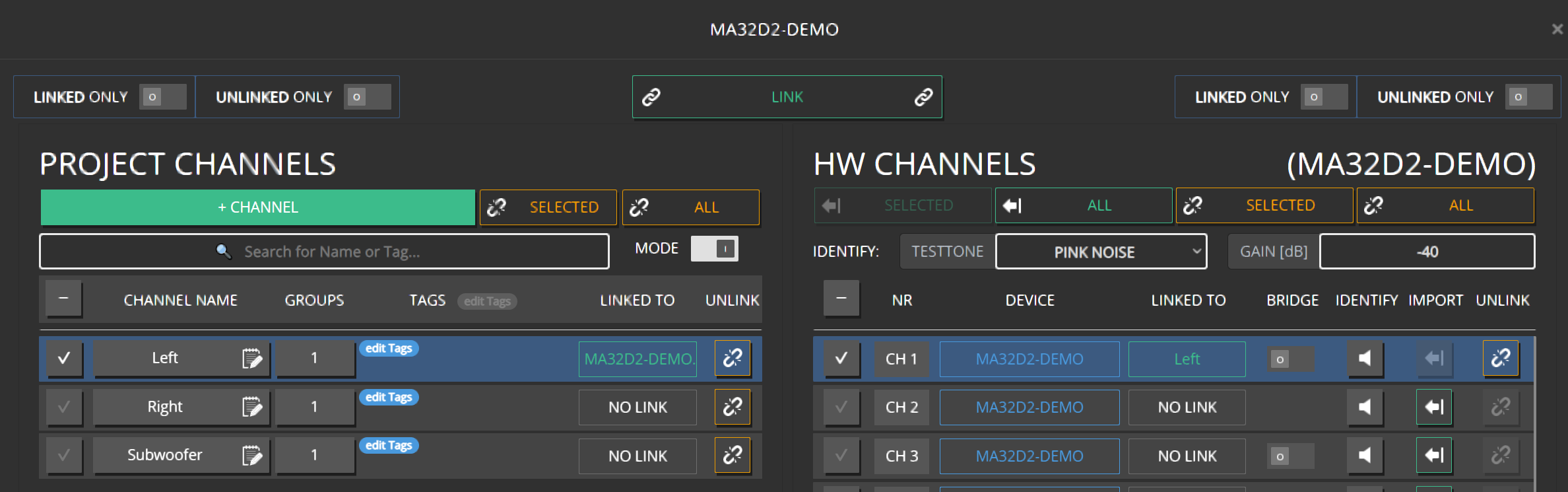
Finish Left, Right, and Sub.
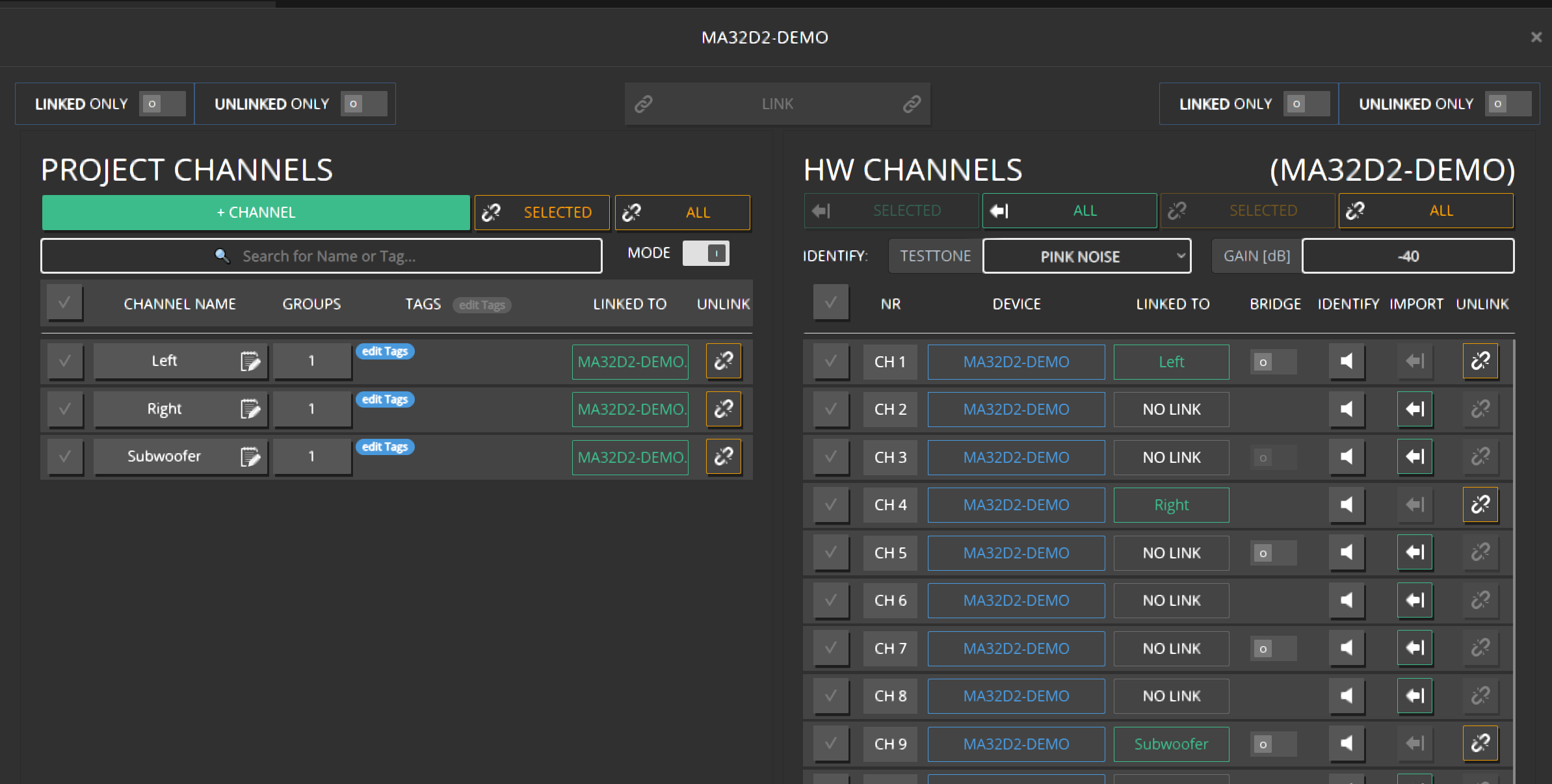
Reorder later by dragging HW channels between empty slots, or swap by dropping onto an assigned slot.
Expected result
All three project channels show a hardware link; identify confirms the correct speakers.
4. Set safe group volume
Open GROUPS and click the VOLUME field for ROOM 1.
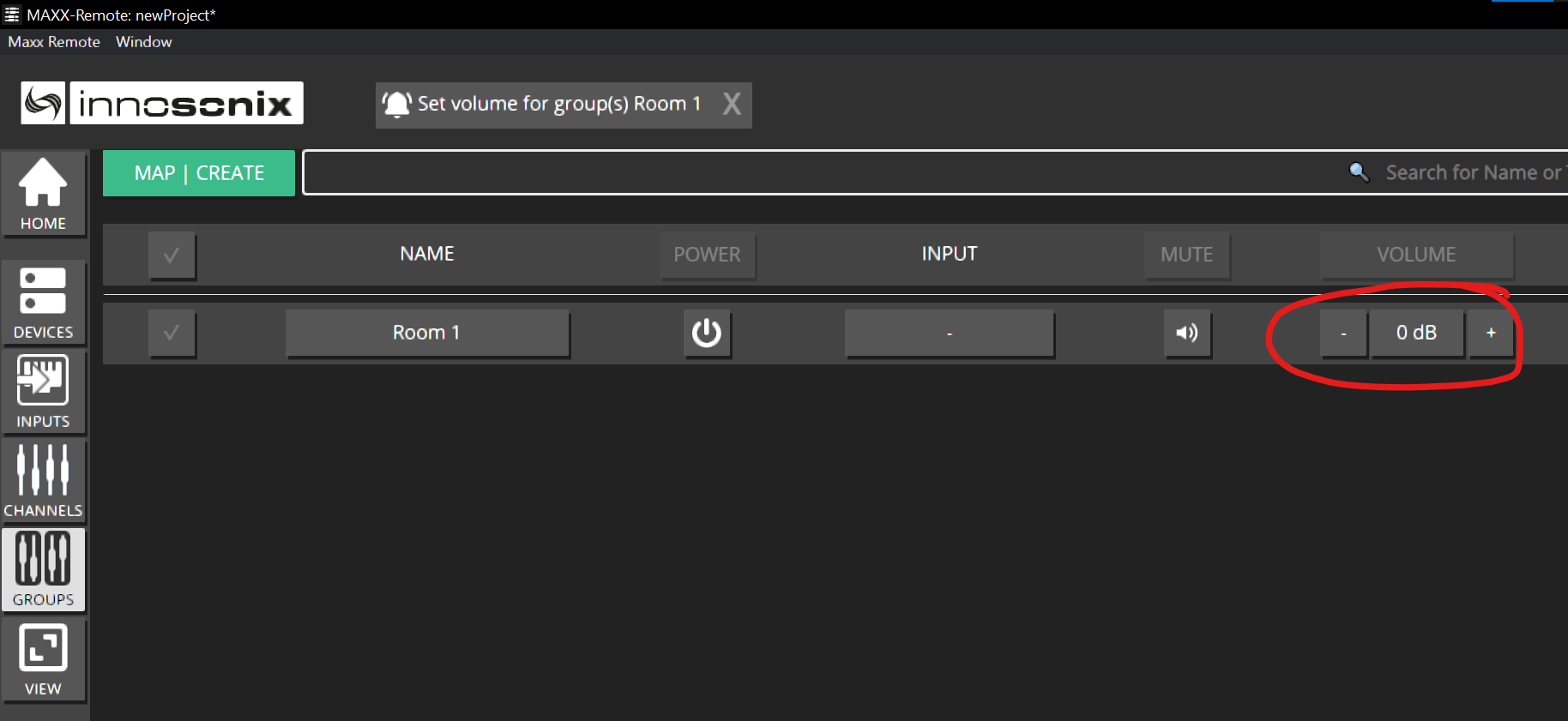
Enter -20 and press Enter or SET.
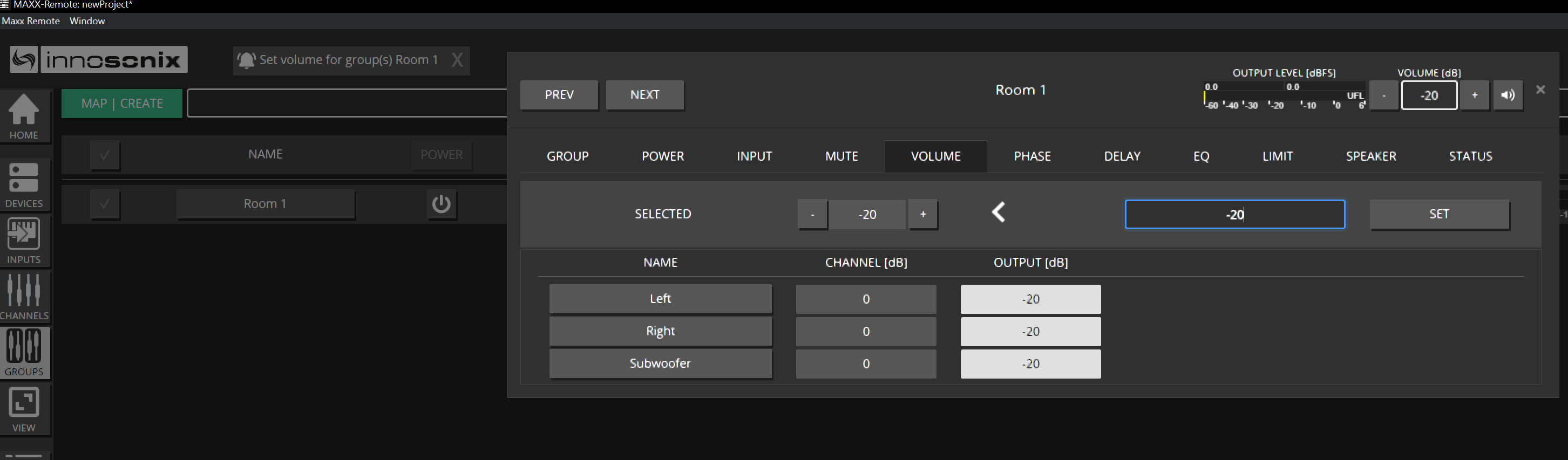
On CHANNELS, raise the Subwoofer channel by +6 dB for a bit of boost.
The CHANNELS overview shows final output. After the group −20 dB, channels already read −20 dB before you add a channel offset.
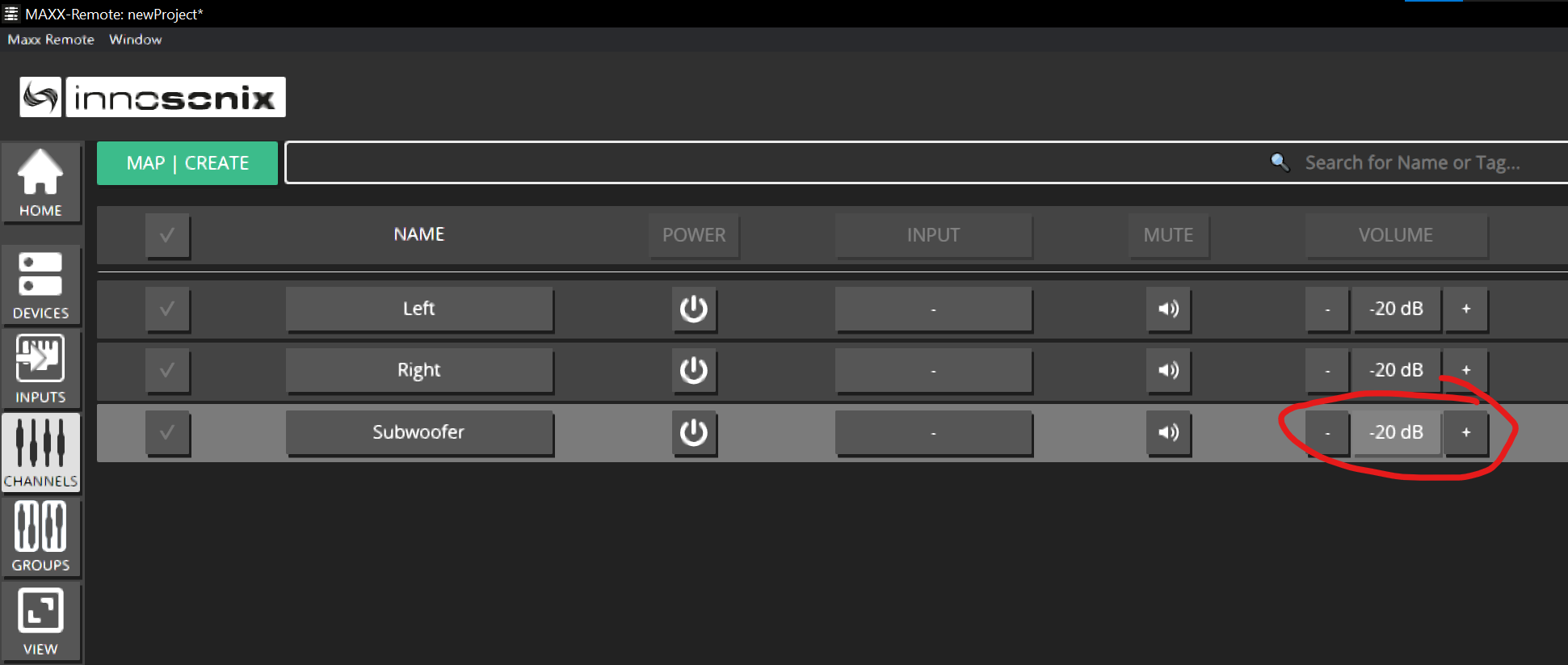
Example: group −20 dB + channel +6 dB → −14 dB output.
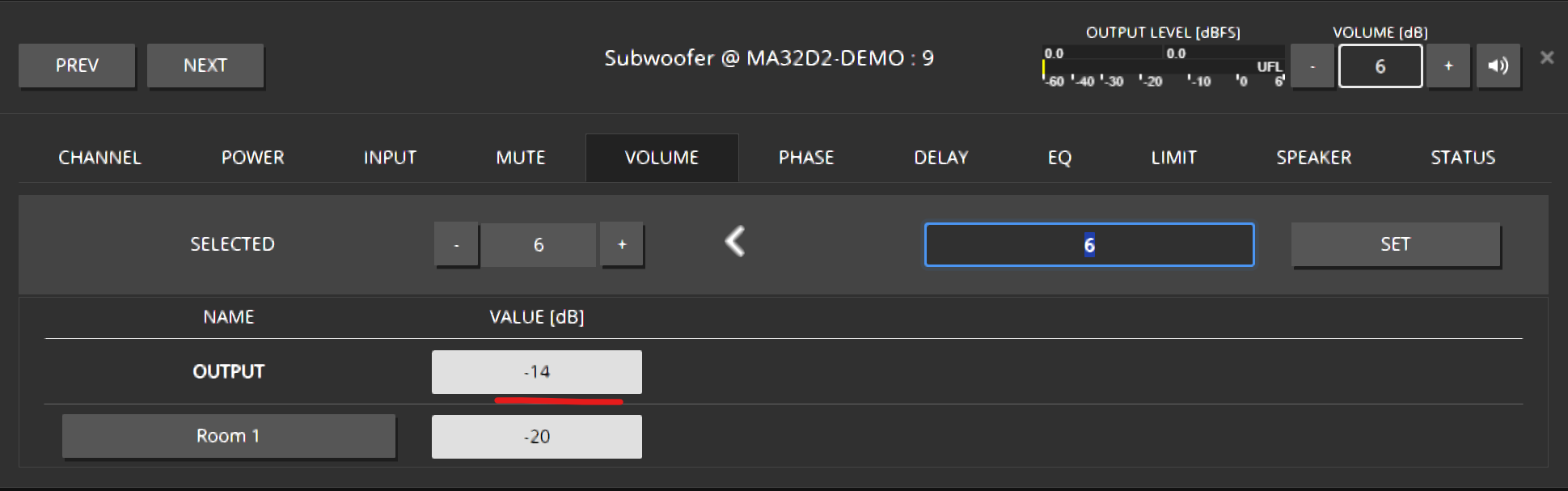
Expected result
Room is at a safe level; Sub sits 6 dB hotter than Left/Right at the channel layer.
5. EQ the Subwoofer
Open CHANNELS → EQ for Subwoofer.
Drag a LOW PASS filter into the EQ view.
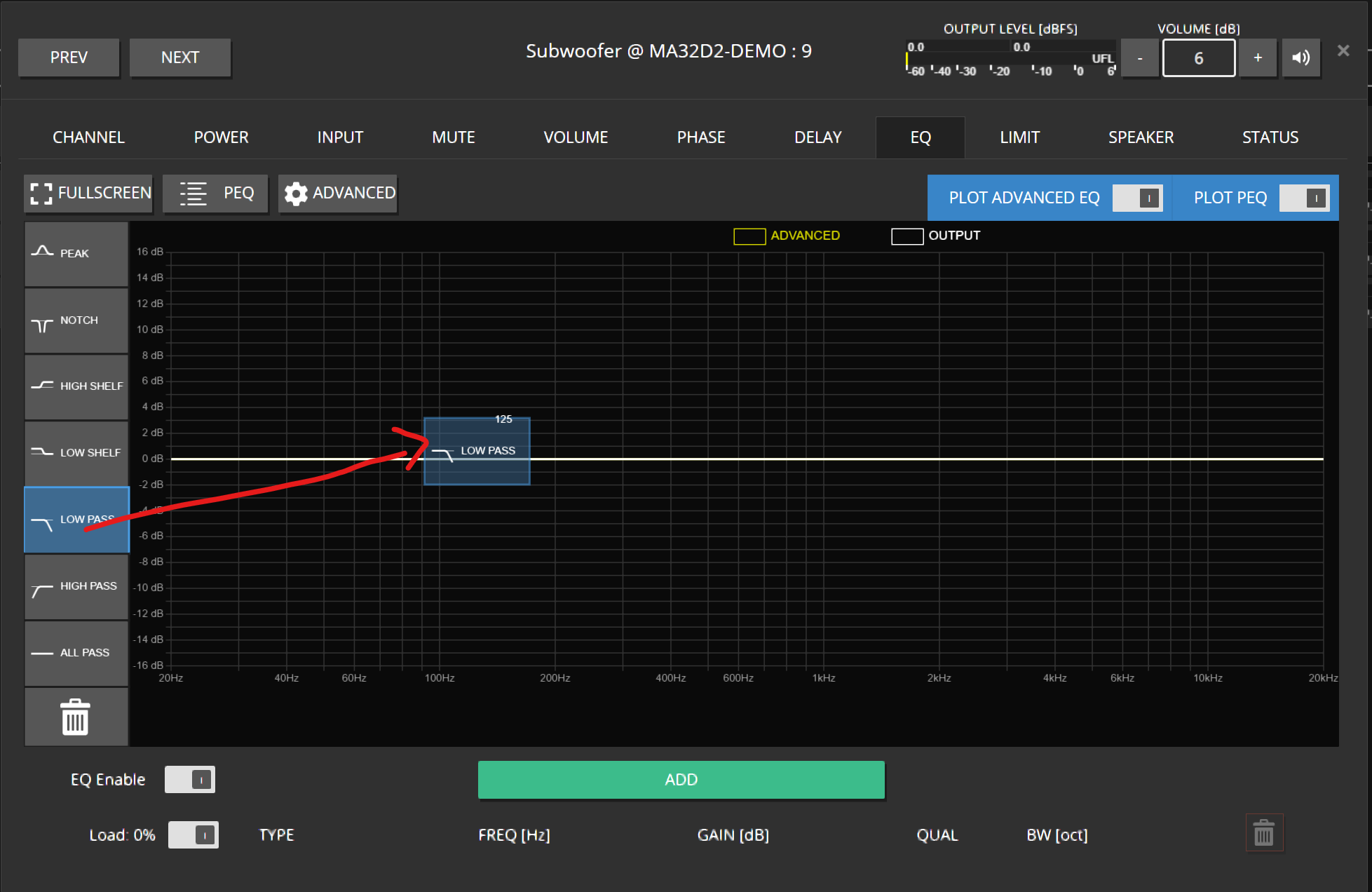
Select the filter (blue handle / row), open the gear editor, pick for example 24 dB Butterworth, confirm OK.
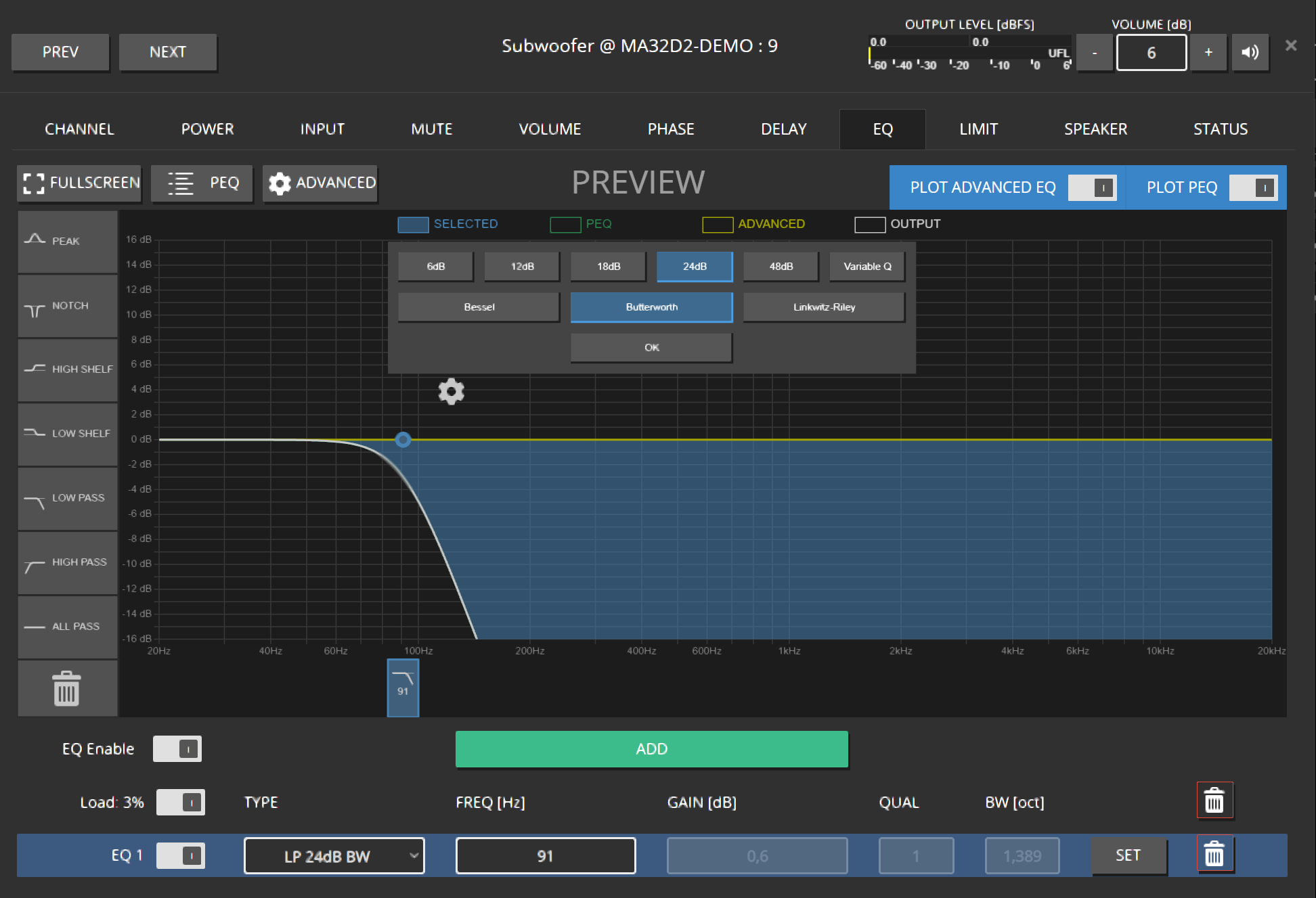
Set frequency by dragging or typing, then Enter / SET.
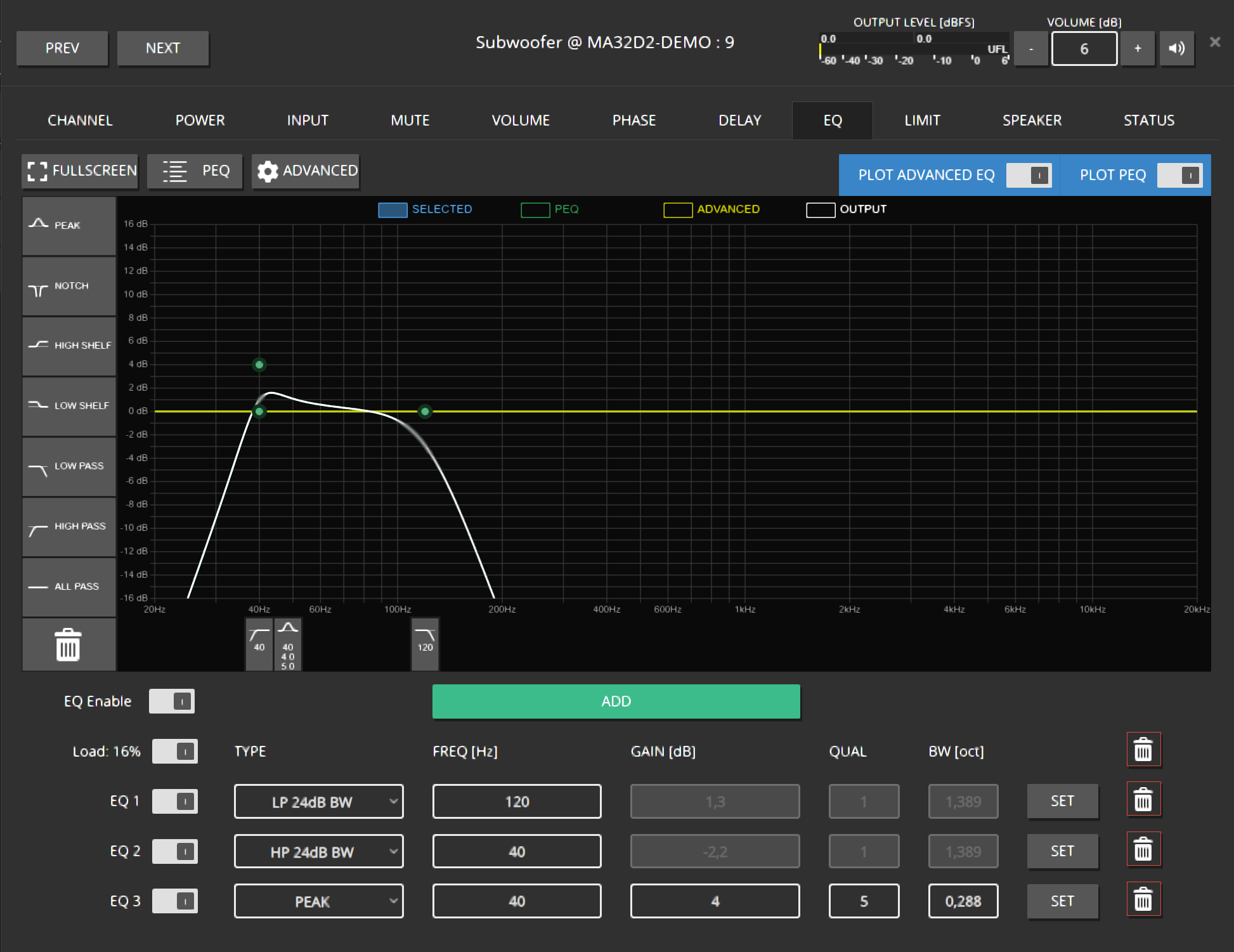
Add more filters if needed.
6. EQ the group (room)
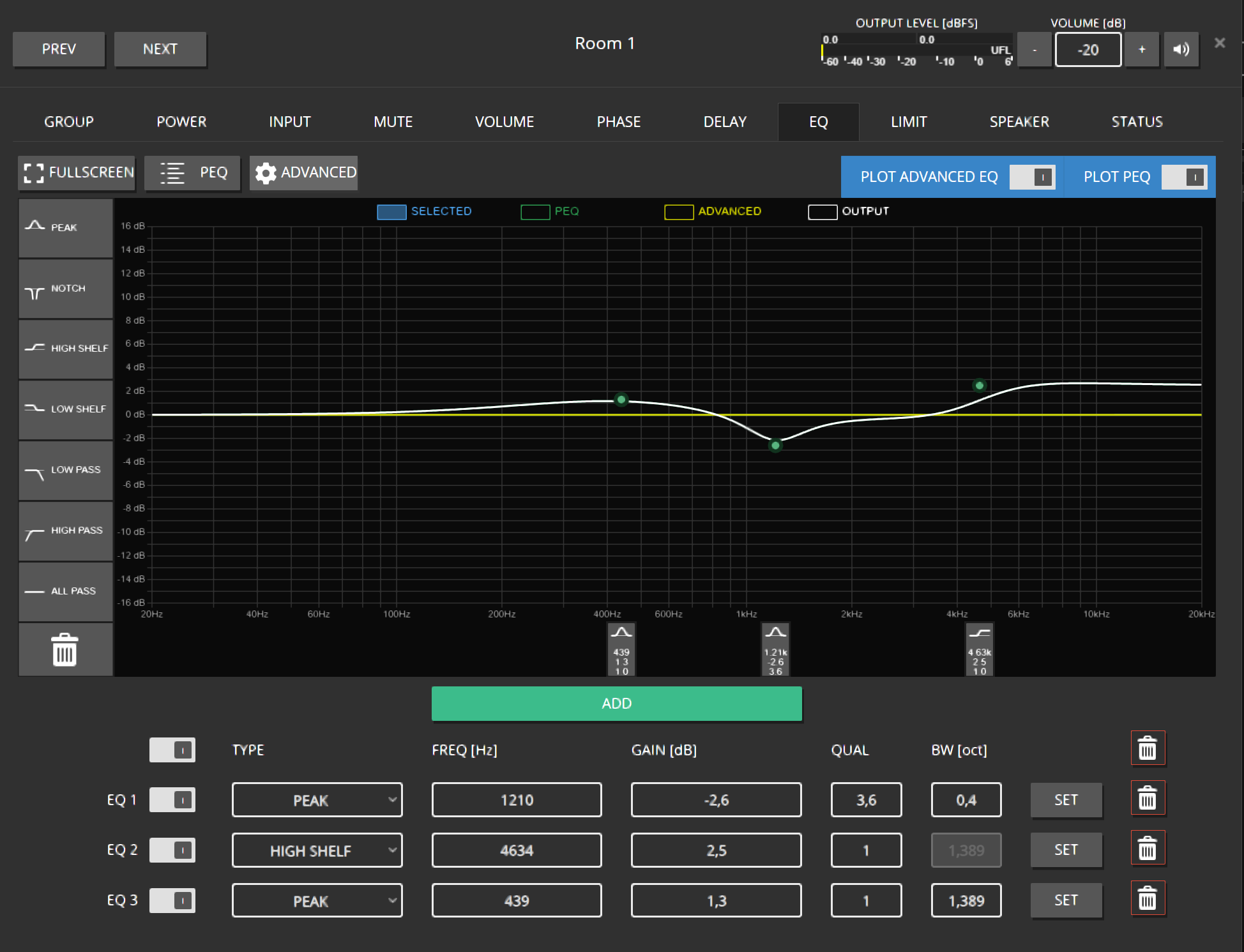
Add overall EQ on GROUPS → ROOM 1.
Jump back to the group’s channels (arrow control).

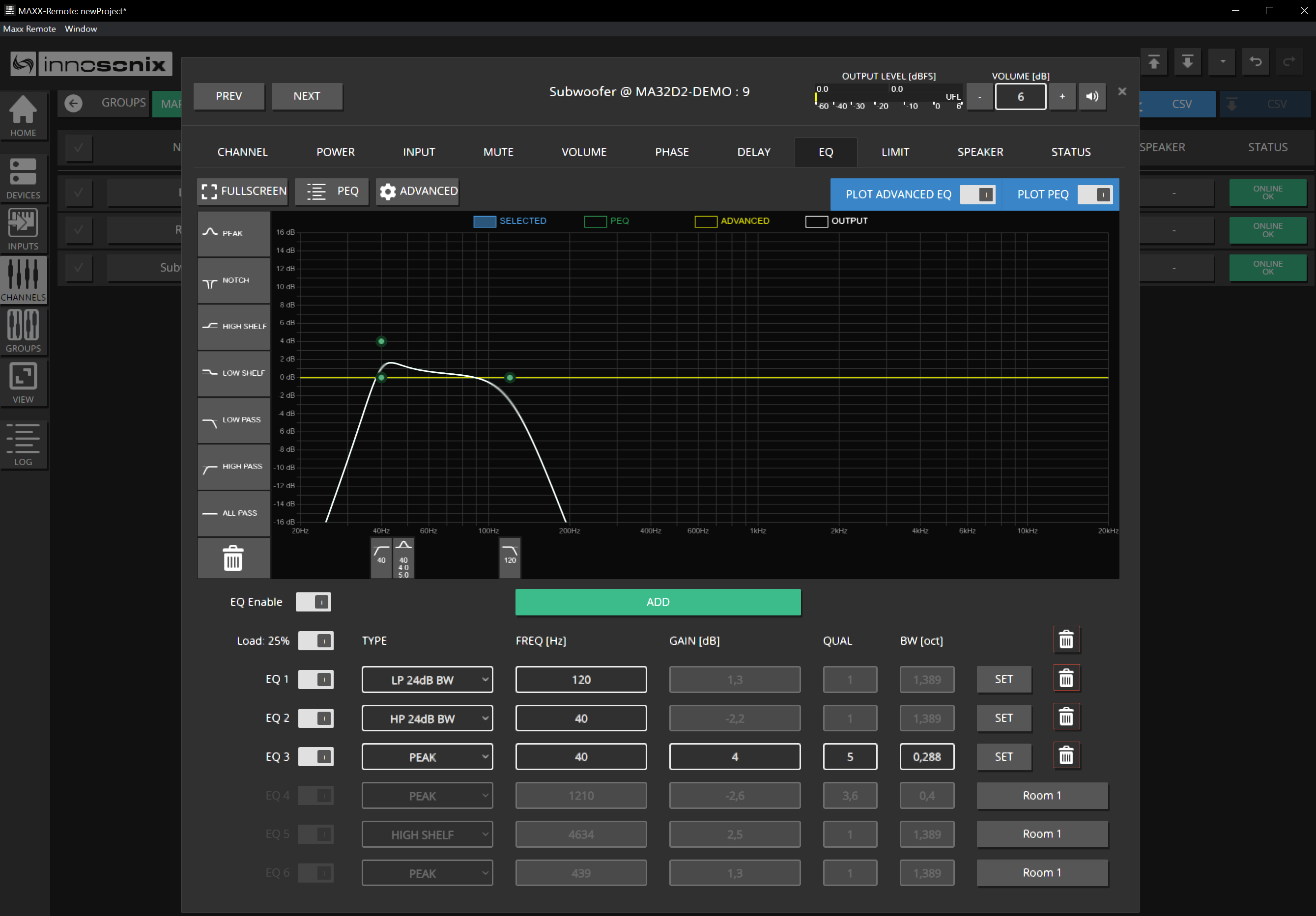
Re-open Subwoofer EQ — you should see channel EQ plus group EQ summed.
Expected result
Room EQ affects all members; Sub still shows its own low-pass on top.
7. Create Dante INPUTS and assign roles
From Dante Controller, note Transmit Channel@Hostname (example: 01@STEFFEN-PC).

Open INPUTS → + INPUT SOURCE. Fill in:
- SOURCE LABEL — name in Maxx Remote
- RECEIVE HOSTNAME — Dante device hostname
- RECEIVE LABEL — transmit channel name
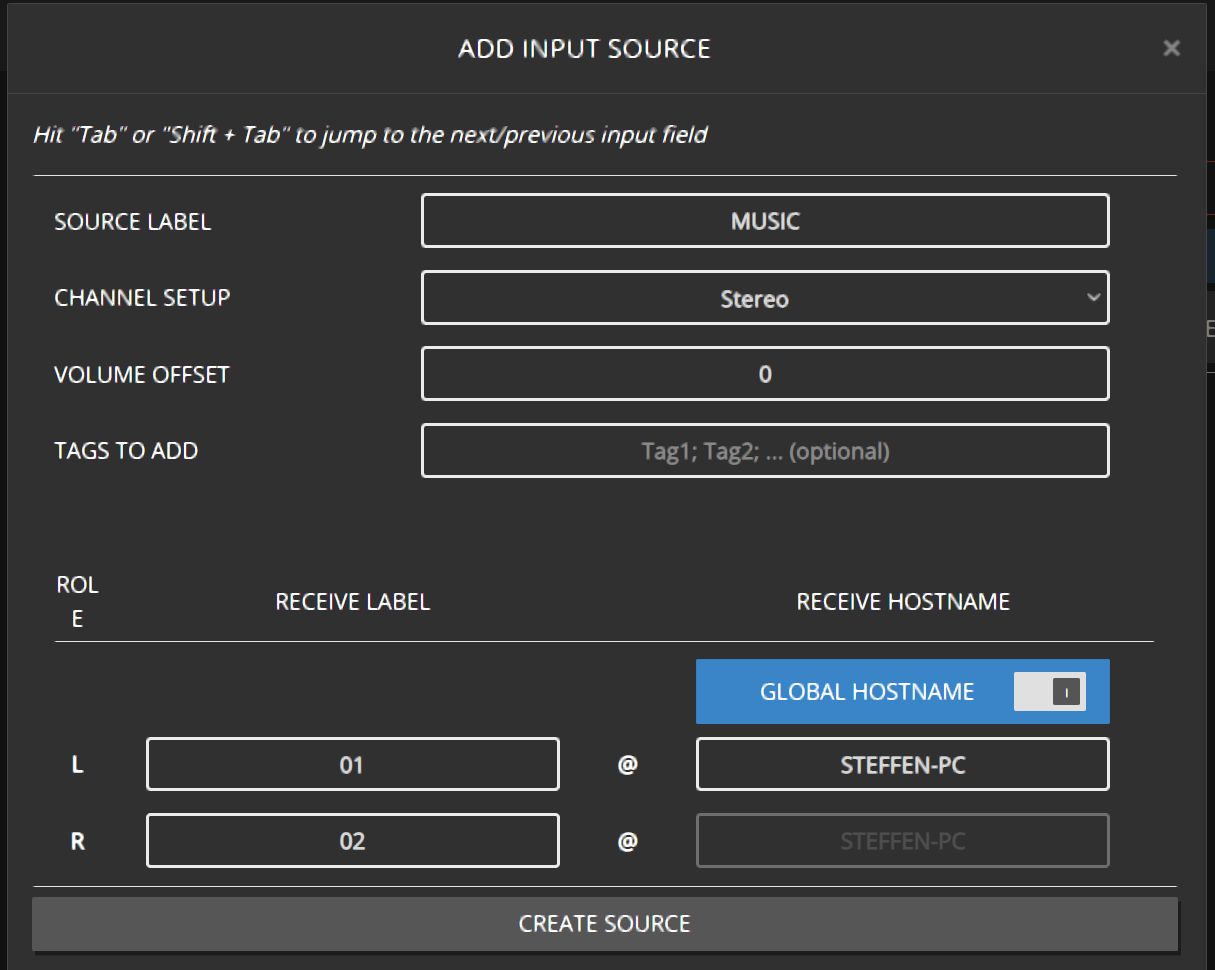
Open GROUPS → INPUT and assign the source to ROOM 1.
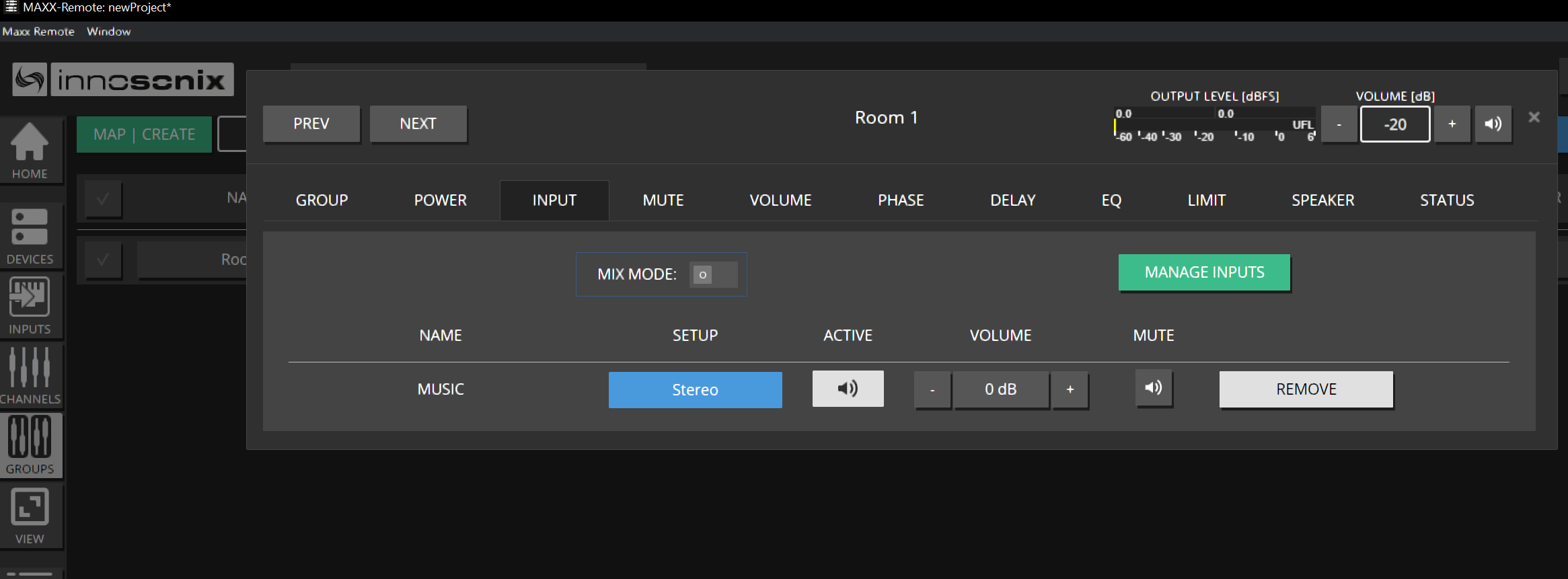
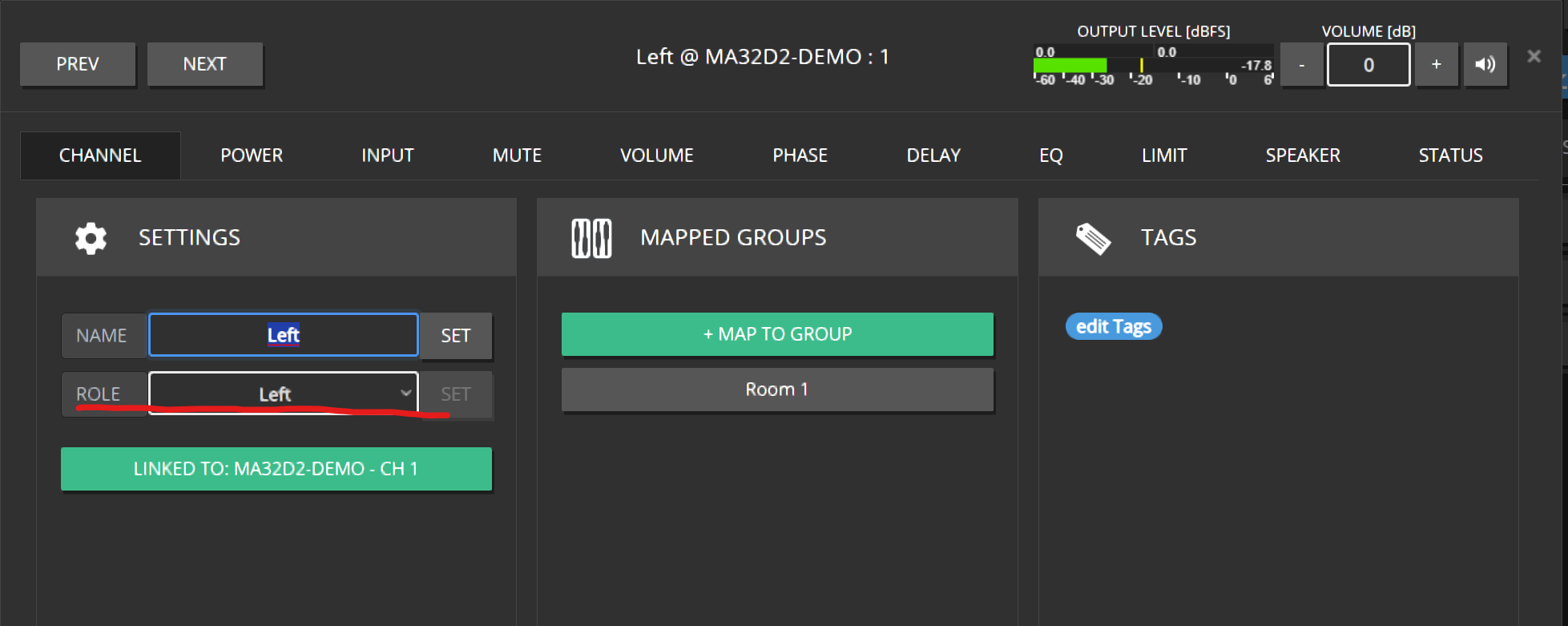
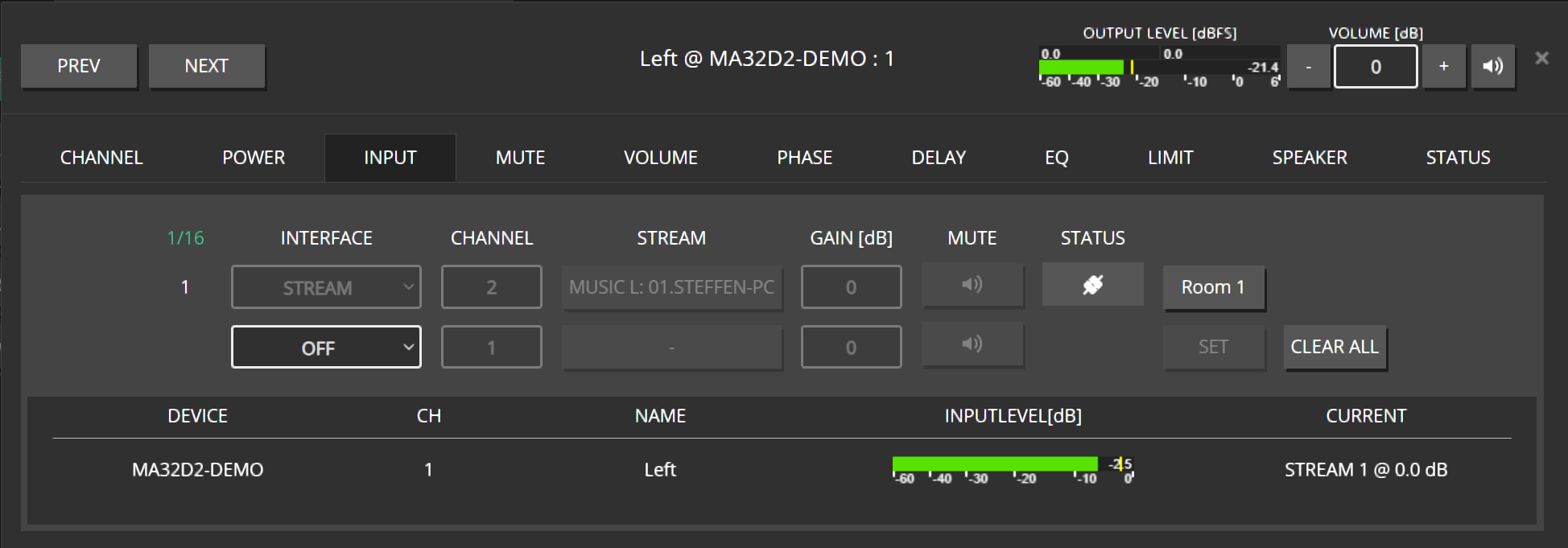
Channels inherit the source using their ROLE (Left / Right / Mono, …).
If Left is still MONO, it may downmix both legs — set ROLE → LEFT.
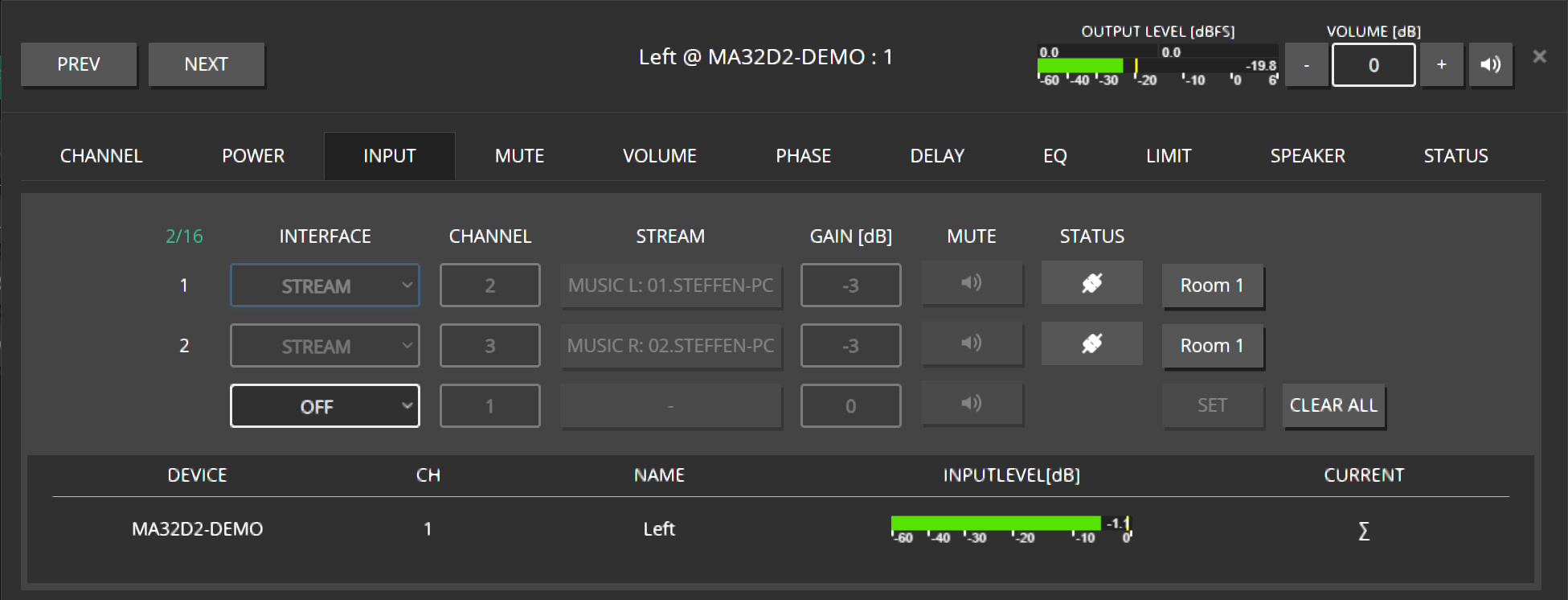
Confirm Dante Controller shows dynamic subscriptions (often prefixed with
D:).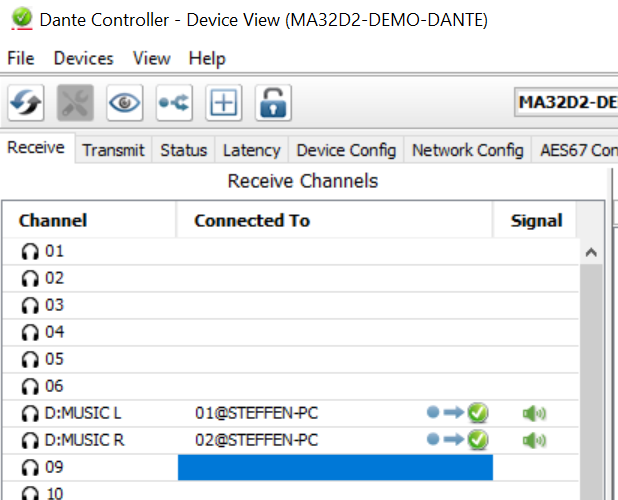
Set Right to role RIGHT. Leave Sub as MONO for a stereo downmix to the sub.
Expected result
Music plays Left / Right / Sub with correct legs; Dante shows the subscriptions Maxx Remote created.
Checklist — you are done when
- Project created and named
- Three channels + one group, channels mapped to the group
- Amplifier connected; three HW links confirmed with IDENTIFY
- Group volume set to a safe level; Sub offset applied if desired
- Sub low-pass (and optional room EQ) in place
- Stereo INPUT created and assigned to the group
- Channel roles Left / Right / Mono correct
- Audio heard on all three speakers
Common mistakes
- Leaving channel role on MONO for Left/Right — you get a downmix instead of discrete L/R.
- Enabling auto-create of all device channels when you only need three.
- Raising channel volume while forgetting the group is still very loud (or muted).
- Editing the amp in Maxx Control afterward — expect OUT OF SYNC.