Maxx Control REST: Set channel names
Maxx Control REST: get and set channel names for zones, UI labels, and home-automation integrations.
Every amplifier exposes a hierarchical JSON REST API used by Maxx Control itself and by third-party systems. Prefer this API for single-device integration. For project-level multi-amp control, use the Maxx Remote HTTP API instead.
| Item | Value |
|---|---|
| Scheme / port | http:// on port 80 |
| Base path | /rest-api |
| Example | http://${IP}/rest-api/settings/channel/1/dsp/mute |
Methods you will use most: GET (read), PUT (write / partial update), OPTIONS (allowed ranges and constraints), plus POST / DELETE on a few resources (for example EQ bands).
Write operations that change settings require an API key in the HTTP header:
| Header | Default value |
|---|---|
token | f4005bf8507999192162d989d5a60823 |
Defined in OpenAPI as ApiKeyAuth (token in header). GET and most OPTIONS calls do not require the token. Most PUT (and many DELETE) calls do — check the on-device OpenAPI for each path; a few DELETE endpoints are unauthenticated in the schema.
curl -X PUT "http://${IP}/rest-api/settings/channel/1/dsp/mute" \
  -H "token: f4005bf8507999192162d989d5a60823" \
  -H "Content-Type: application/json" \
  -d '{"value": true}'
The tree is organized under /settings (configuration), /status (live state), /info, /preset, and helpers such as /speakerpreset. Channel resources nest DSP blocks (volume, mute, EQ, FIR, limiters, …); device resources cover master mute/volume, Dante, network, and more.
You can:
…/settings/channel/1/dsp/mute…/settings/channel with an array of channel objects…/settings with a larger tree when you need a wide update in one callExample shape under settings (not exhaustive):
settings/
  channel/
    {channel_id}/
      ampenable
      dsp/
        delay | eq | eqenable | fir | mute | volume | …
  device/
    dsp/ (mute, volume, …)
    grouping/ (groups, soloautoclear)
    dante/
    network/
    …
Partial updates are the normal pattern: send only the fields you want to change.
OPTIONS on a resource returns the allowed parameter space for that property (min / max / step / unit, enums, string lengths, and similar). Use it when building UIs or validating values before PUT — especially for volume, delay, limiters, and names.
Example: discover channel volume limits:
curl -X OPTIONS "http://${IP}/rest-api/settings/channel/1/dsp/volume"
Exact response fields vary by resource; see the on-device OpenAPI schemas (for example NumberOptions).
This site documents common integrator patterns. The complete, firmware-matching schema is on the device:
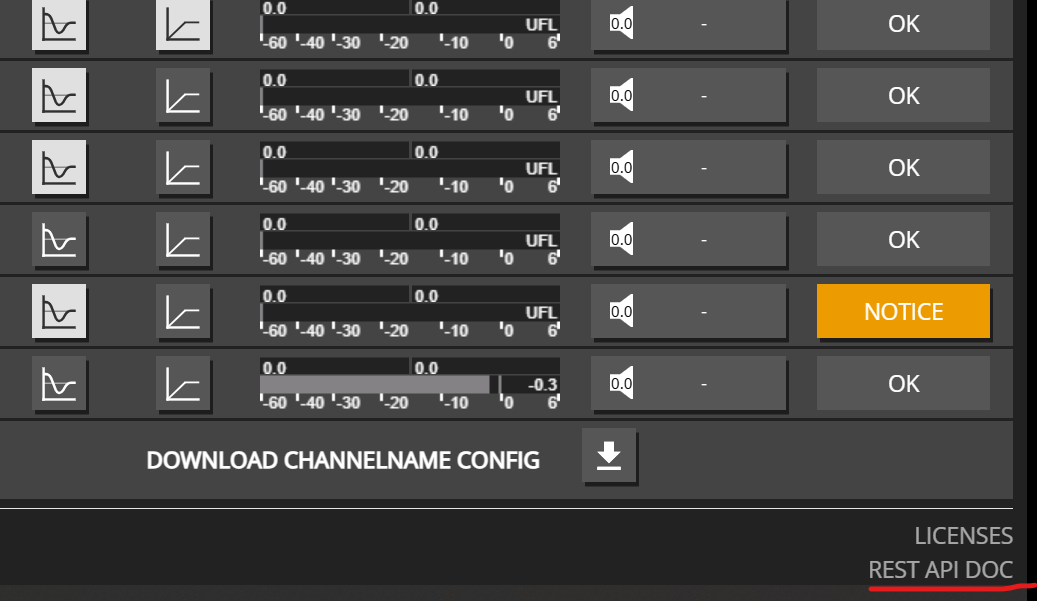
That opens the Swagger UI for maxx_rest_api.html (generated from the device OpenAPI). Always trust the on-device docs for path lists and schemas for your firmware version.
| Goal | See |
|---|---|
| Mute / unmute a channel or master | Mute control |
| Set channel, master, or multi-zone volume | Volume control |
| Group channels on one amp (mute / solo / volume) | Grouping |
| AES67 / SDP subscribe (channel input patch) | AES67 / SDP subscribe |
| Enable / disable channel EQ | EQ enable control |
| Read device info and health-oriented status | Device information |
| Persist settings to the device | Save / persist |
| Amp channel power (ampenable) | Amp enable |
| Device-level mute / volume / startup | Device control |
| Channel naming | Channel name |
| Input patch | Input patch |
Third-party plugins (Q-SYS, Loxone, …) use this same API against one amplifier each — see Third-party plugins.
Maxx Control REST: get and set channel names for zones, UI labels, and home-automation integrations.
Maxx Control REST: set device master mute, master volume, and startup mute for one Innosonix amplifier.
Examples for retrieving device information
Maxx Control REST: enable or disable channel EQ (eqenable) with single-channel and multi-channel PUT examples.
Examples for controlling channel and device mute states
Examples for controlling channel and device volume
Maxx Control REST: create device groups, assign channels, then mute, solo, and set group volume on one amplifier.
Maxx Control REST: subscribe a channel input to an AES67 / SDP stream (source_id 25) by PUTting sdp_text or rtp_flow.
Maxx Control REST: switch amplifier channel input patches (Dante and other sources) with bulk or per-channel PUT examples.
Power-enable channel amplifier stages via ampenable (distinct from mute).
Persist runtime REST changes with /settings/save and check save status.