Surround input sources
Categories:
Goal / when to use
Route surround program (5.1 / 7.1 and related) into rooms when the speaker layout and the source layout are not always identical. For basic stereo INPUTS, start with Inputs and routing or Quick-Start.
Prerequisites
- Groups with Input ability enabled
- Channels created and given surround ROLEs
- Dante TX labels known for every surround leg
Surround channel names in Maxx Remote
Naming varies across the industry. Maxx Remote uses:
5.1
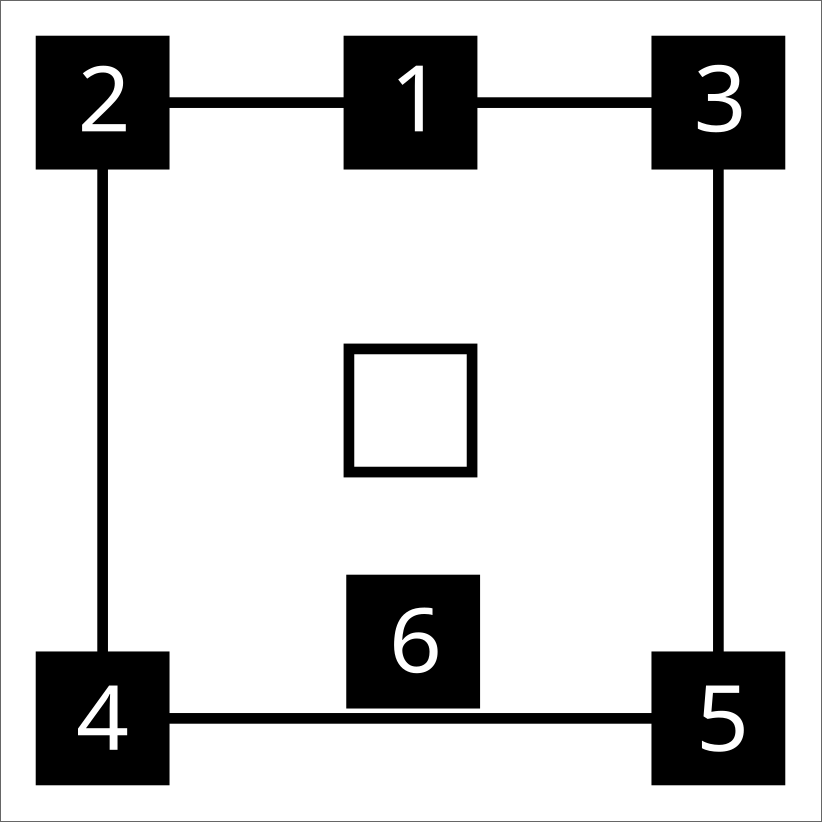
- Center (C)
- Left (L)
- Right (R)
- Left Surround (Ls)
- Right Surround (Rs)
- Low Frequency Effect (LFE)
7.1
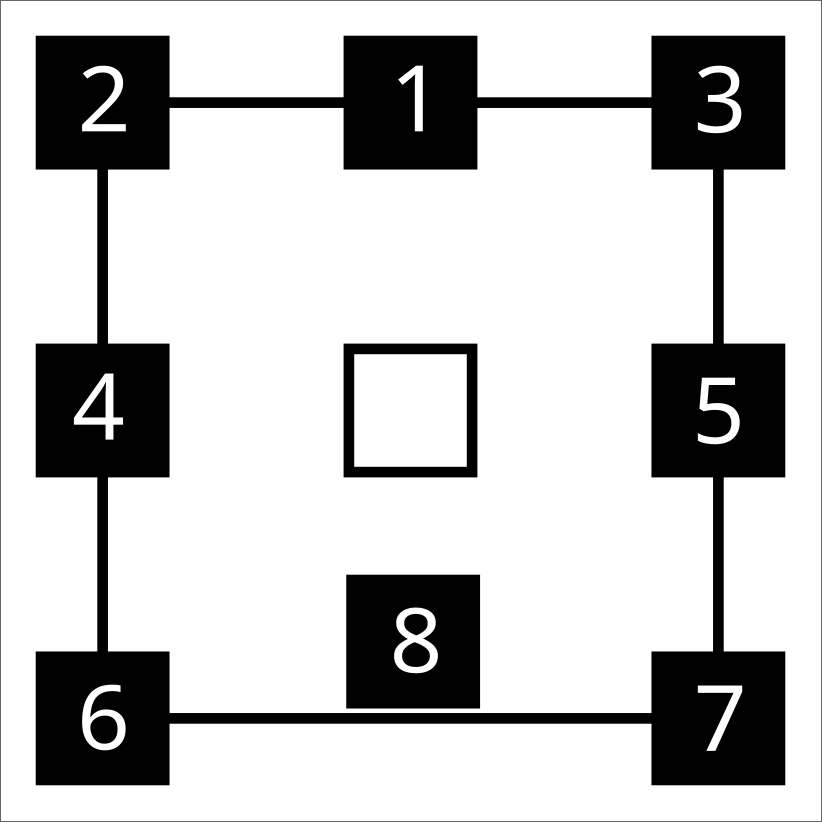
- Center (C)
- Left (L)
- Right (R)
- Left Surround (Ls)
- Right Surround (Rs)
- Back Surround Left (Bsl)
- Back Surround Right (Bsr)
- Low Frequency Effect (LFE)
LFE speaker position is not fixed in every room — place it as your design requires.
Create surround INPUT SOURCES
Same workflow as stereo INPUTS, with more RECEIVE LABEL entries — one per surround leg. See Quick-Start · inputs.
Channel roles
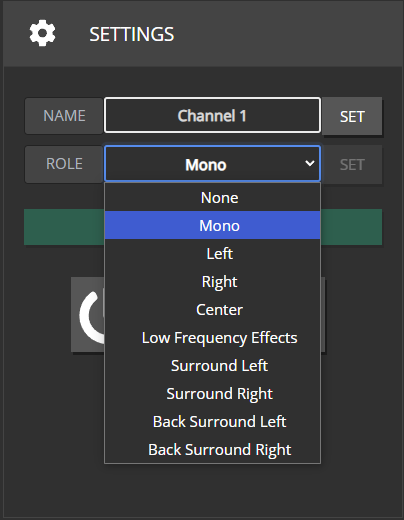
Assign each speaker channel a role. NONE receives no INPUT SOURCE streams. MONO usually receives a combination of legs (see crossmix).
Group output / channel setup
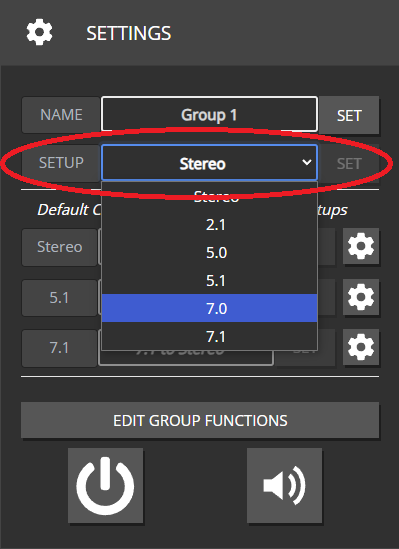
On GROUPS, set output / channel setup to match the room (Stereo, 2.1, 5.0, 5.1, 7.0, 7.1, …). Every role in that setup should exist on at least one mapped channel.
Missing or extra roles do not always hard-error — you may simply get silent speakers or unused streams.
Stereo: L, R
2.1: L, R, LFE
5.0: C, L, R, Ls, Rs
5.1: C, L, R, Ls, Rs, LFE
7.0: C, L, R, Ls, Rs, Bsl, Bsr
7.1: C, L, R, Ls, Rs, Bsl, Bsr, LFE
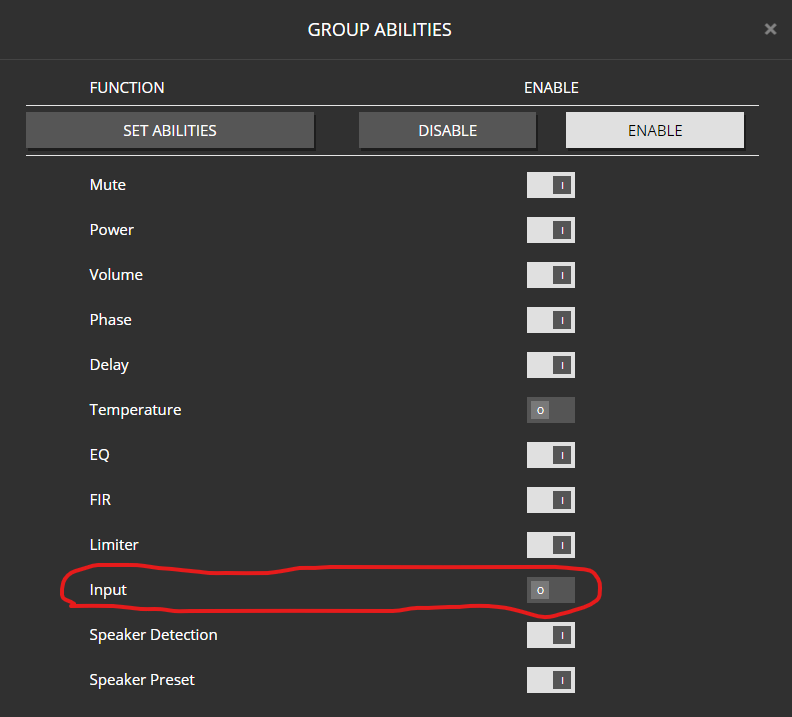
Disabling the group Input ability hides output-setup and crossmix controls.
Crossmix (upmix / downmix)
What it is
When the INPUT SOURCE layout and the group speaker layout differ, Maxx Remote needs a matrix that maps input legs to output roles. Downmix and upmix are both handled as CROSSMIX strategies.
Crossmix page
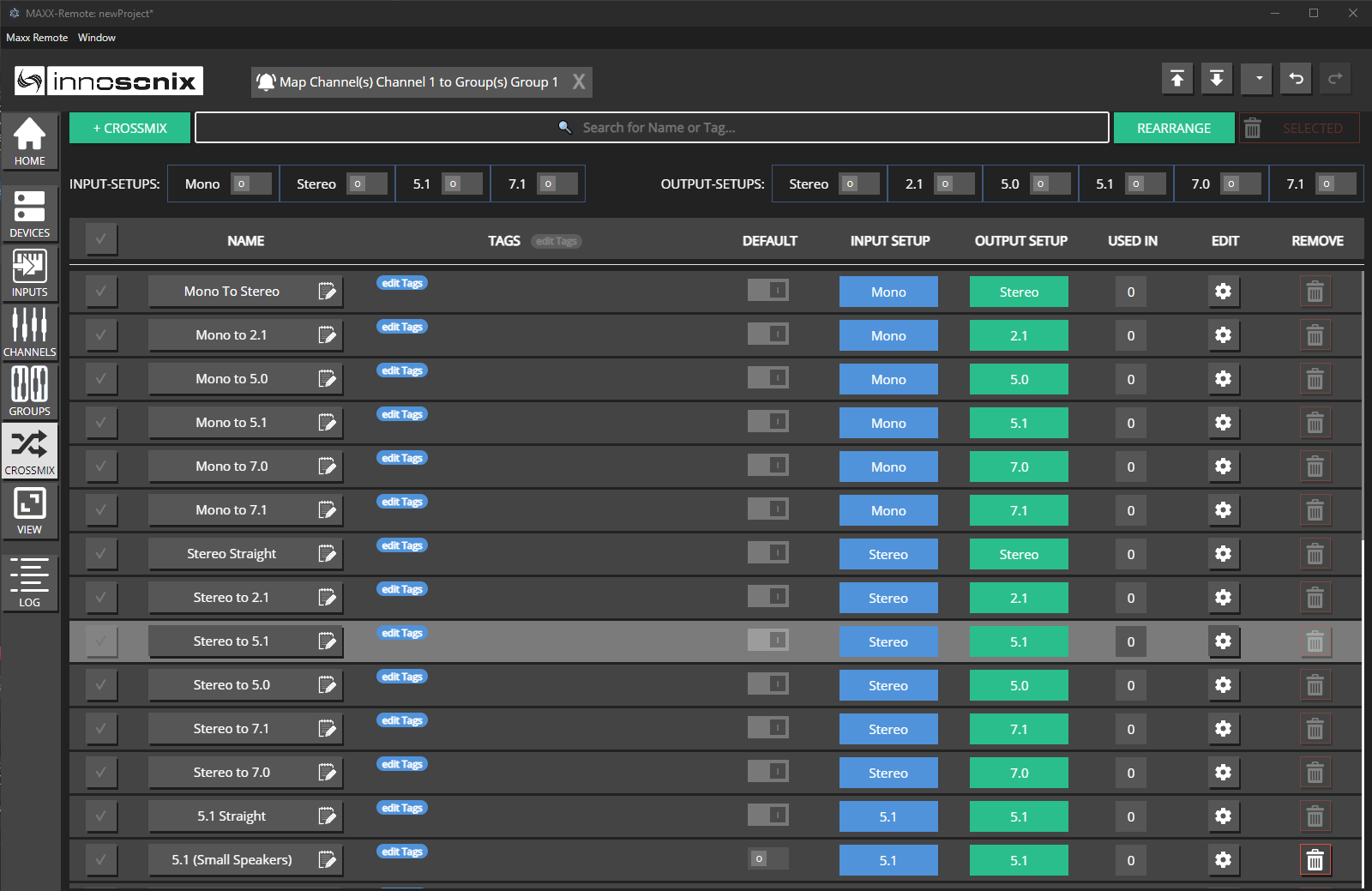
- Open CROSSMIX.
- Review built-in strategies for each in/out pair; edit or add your own (+ CROSSMIX).
- Filter by input / output setup when the list is long.

Pre-defined strategies are editable (and deletable) — but a combination must always keep one global default.
Assignment priority (highest wins)
- INPUT SOURCE + GROUP specific strategy
- GROUP strategy for an input setup
- Global default for that in/out pair
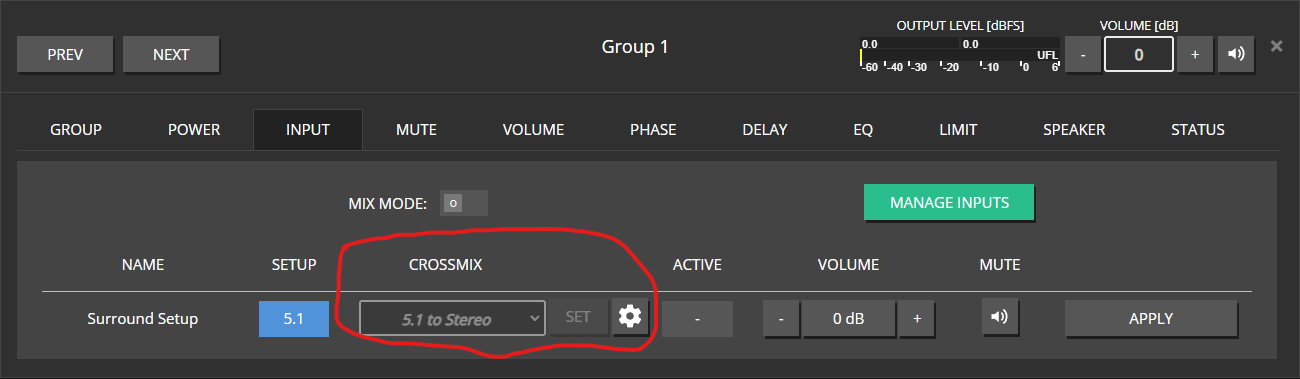
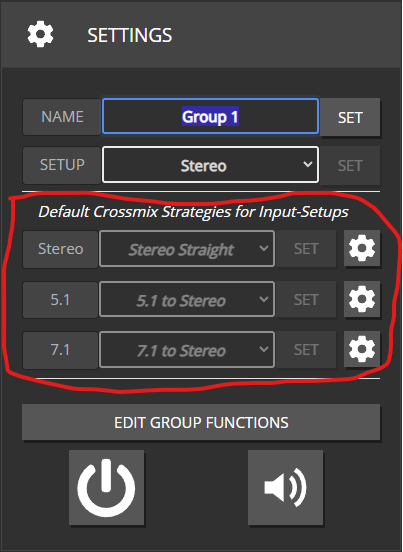

Maxx Remote always picks a strategy (even for exact matches) by checking from highest priority to lowest. Gear icons open the editor for the selected / effective strategy.
Add / edit a crossmix
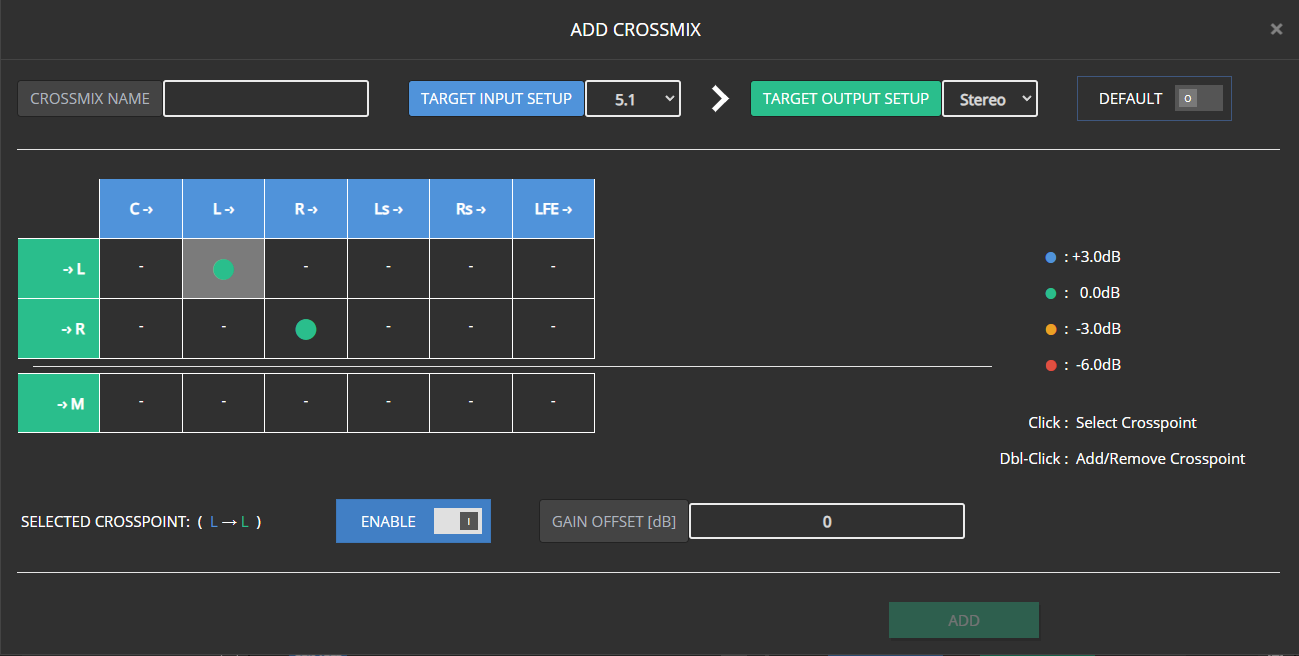
Rows = output roles, columns = input legs.
Enable crosspoints (double-click, or select + Enable).
Set Gain Offset on active points (common 0 / ±3 / −6 values are color-coded).
Name the strategy to unlock Add; use Save or Save As New when editing.

Mark Default only when this should become the global fallback for that in/out pair.
You cannot change in/out setup on the current global default (would remove the fallback). Non-defaults can change freely.


Changing setup on a strategy that was assigned to a group/input clears that assignment; Maxx Remote falls back to the next strategy in the chain.
Crossmix is why each input-capable group needs an output setup. Without it, Maxx Remote cannot decide whether a Left channel should get only L or a surround-to-stereo downmix.
Expected result
Surround legs land on the intended speakers; intentional up/downmix uses the strategy you selected; Dante shows the resulting subscriptions.
Common mistakes
- 5.1 source into a stereo group with no reviewed downmix.
- Forgetting LFE / Center roles in the room.
- Trying to delete the only global default crossmix for a pair.
- Disabling group Input ability and wondering where setup controls went.