Multi-way channels
Categories:
Goal / when to use
Use a multi-way channel when one physical speaker cabinet needs several amplifier outputs (for example low / mid / high). You still control the cabinet as one channel, while each way holds driver-specific DSP.
Prerequisites
- Familiarity with Channels and groups and linking
- Enough free amp outputs for every way
Create multi-way channels
- Open CHANNELS → MAP | CREATE → + CHANNEL.
- Enable MULTI-WAY MODE.
- Set NR OF WAYS to 2, 3, or 4.
- Name the parent channels and click CREATE CHANNELS.
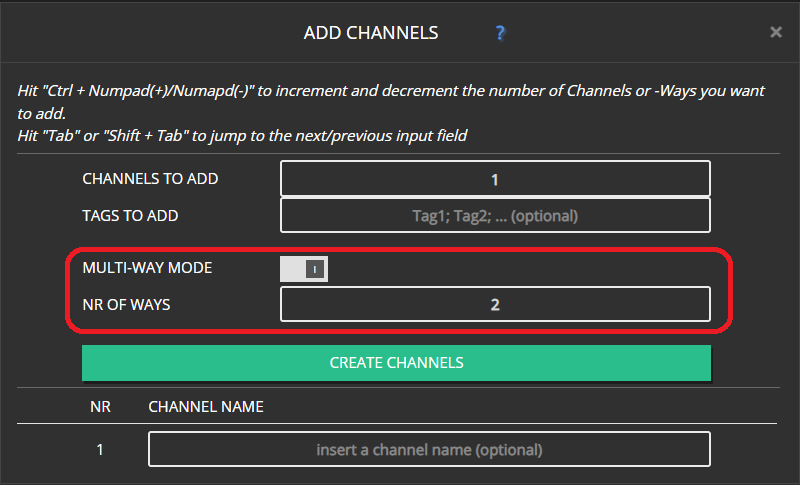
Expected result
Each new channel is a parent cabinet with fixed child ways (not separately deletable).
Convert an existing channel
- Open the channel edit dialog → MAIN.
- Enable multi-way (or change way count) and confirm the popup.
- You can pre-set the way count before enabling.
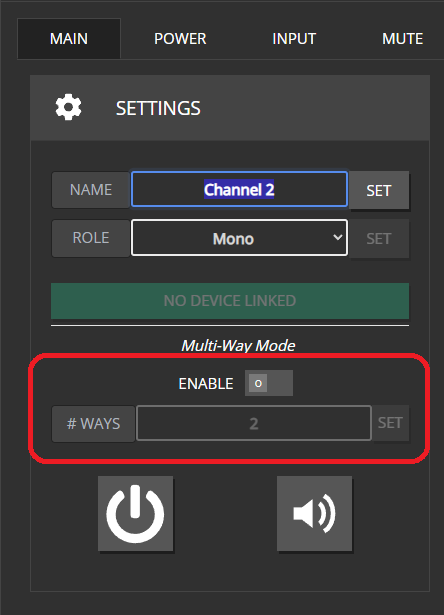
You cannot change multi-way configuration while the channel is linked to a device. Unlink first.
Ways are always tied to their parent. They disappear only when you delete the parent, disable multi-way, or reduce the way count.
Naming
Ways are named from the parent plus a role:
| Ways | Roles |
|---|---|
| 2 | Low, High |
| 3 | Low, Mid, High |
| 4 | Sub, Low, Mid, High |
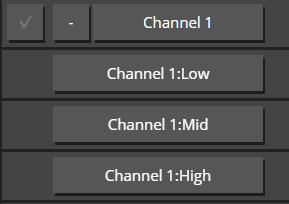
Link multi-way channels
Linking is like normal channels, with a few extras:
Open DEVICES → LINK CHs.
Multi-way parents show their way count.

Use the PROJECT CHANNELWAYS tab to link individual ways (different amps or non-default order).
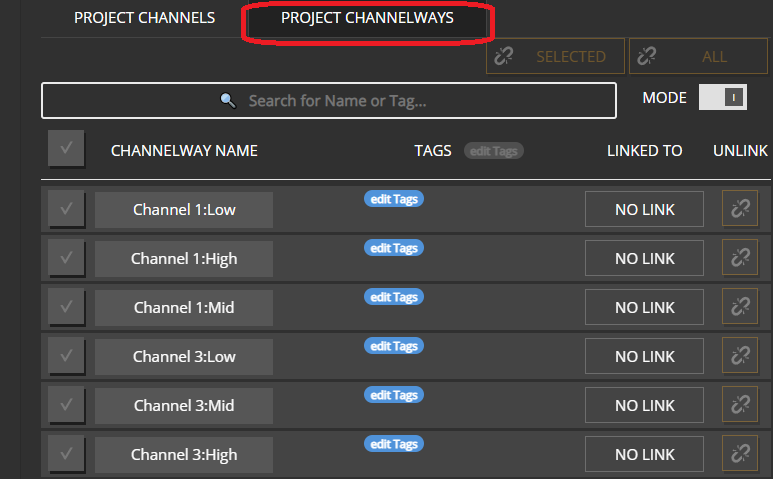
On the PROJECT CHANNELS tab, select the matching number of device channels before LINK unlocks (3-way → 3 HW channels).
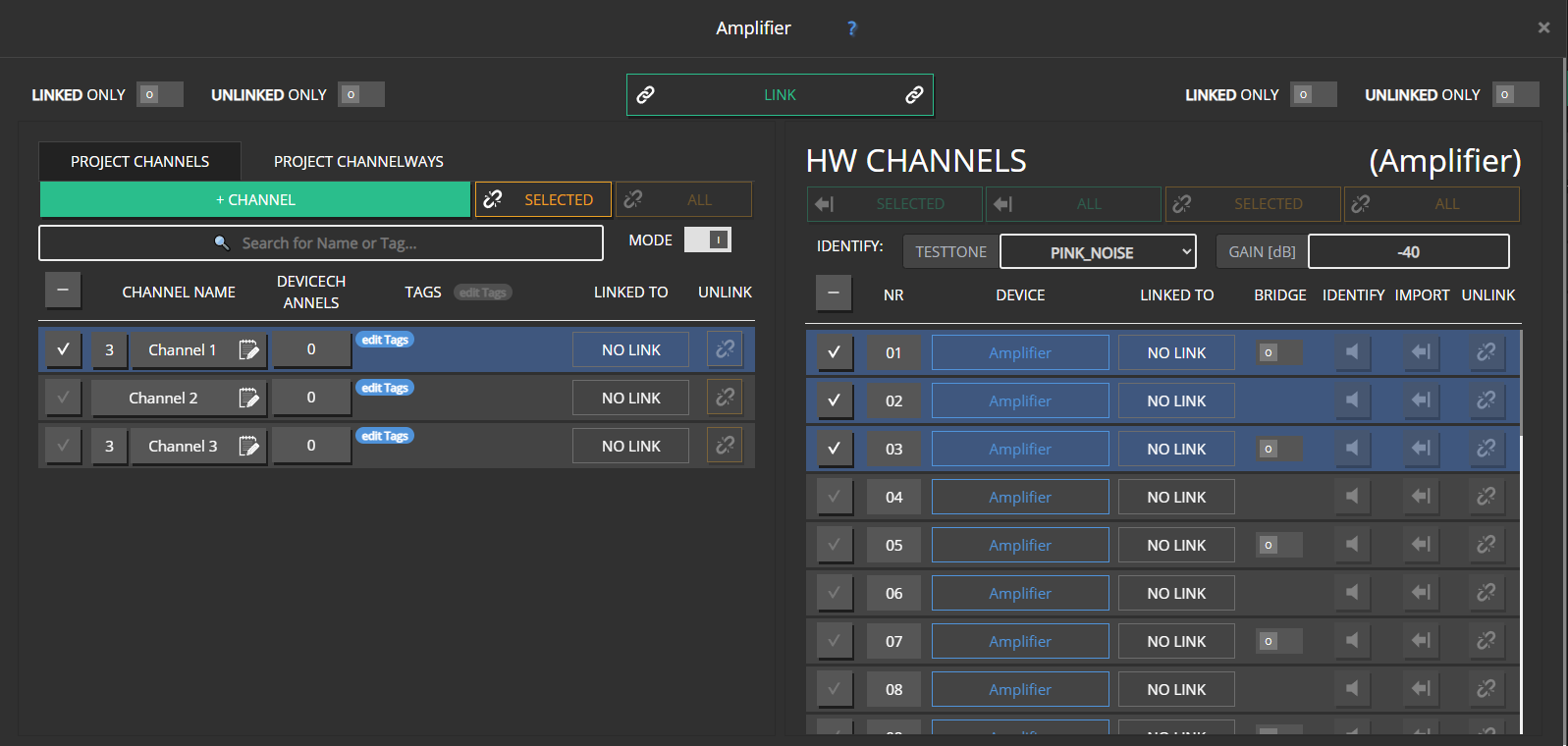
Drag and drop rules
Dragging a multi-way parent highlights the matching number of HW channels.
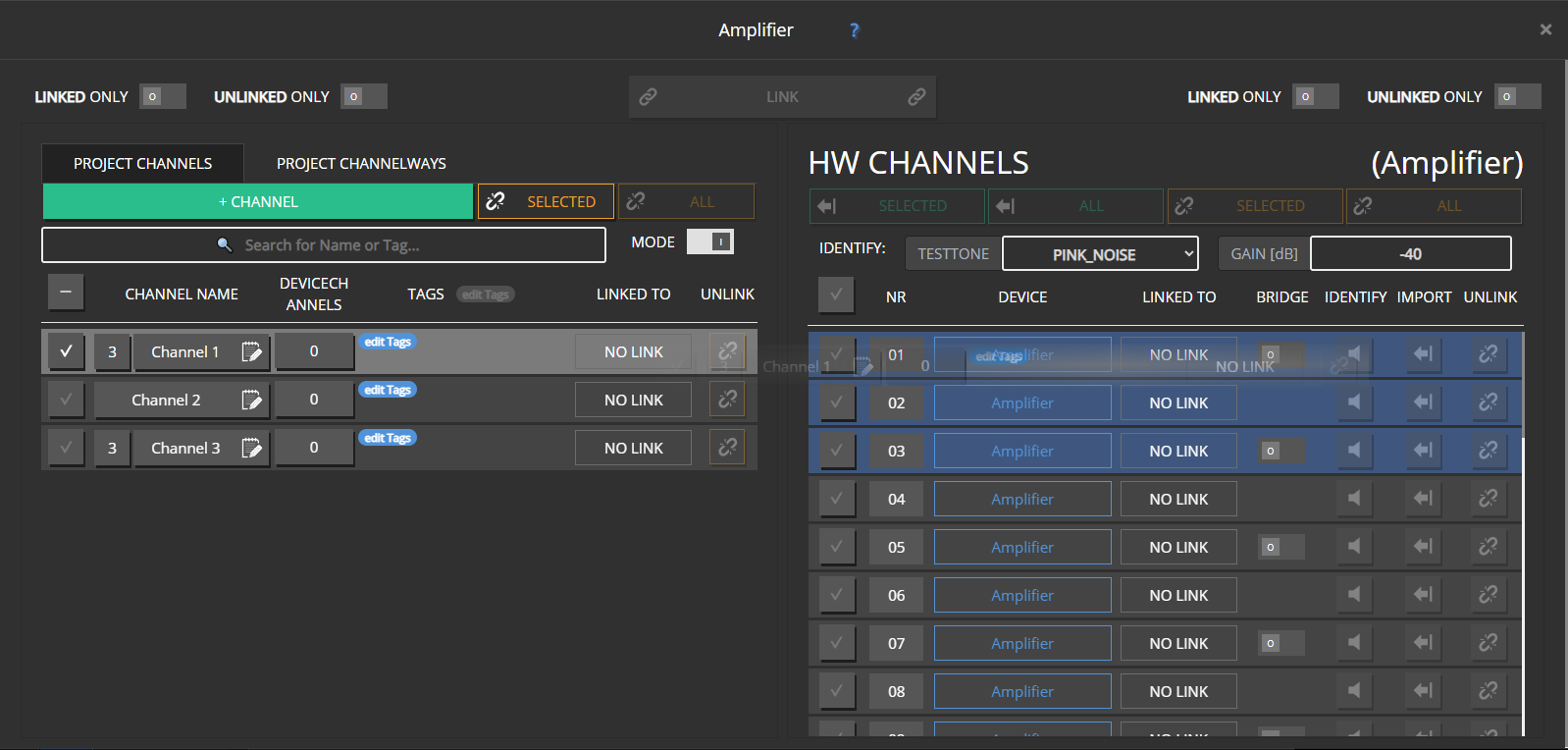
Dragging HW channels onto a parent requires the same count.
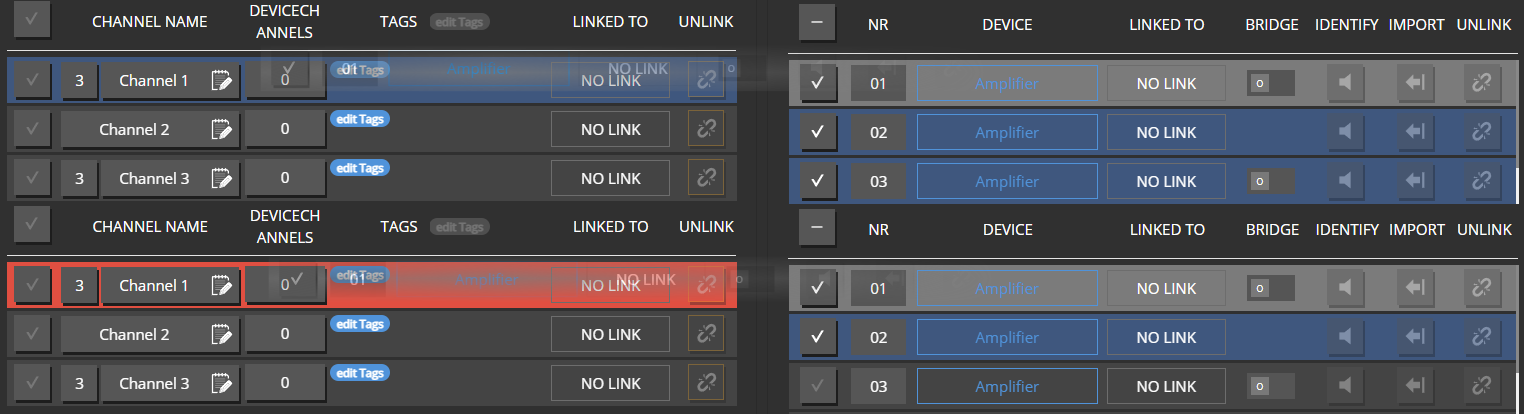
Extra HW channels continue to the next project channel in line.
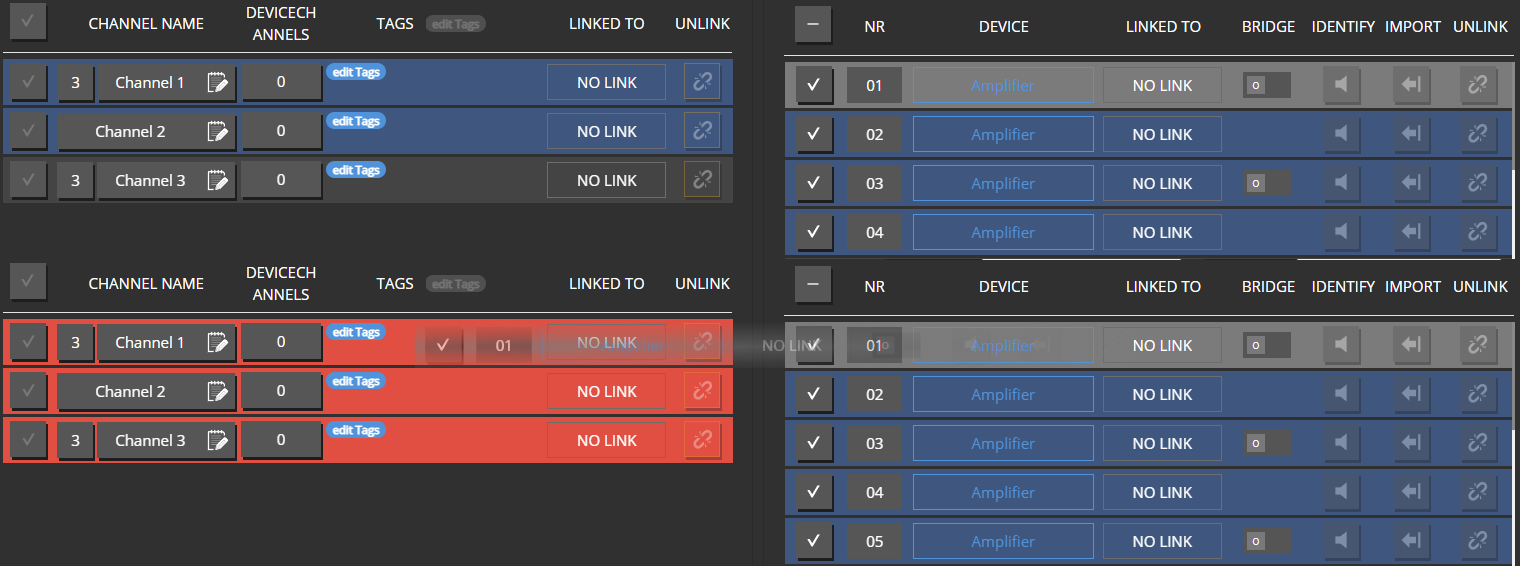
Whole-cabinet links assign HW channels low → high in list order.

Changing way count on an already linked channel is blocked on purpose — it would leave orphan ways or outputs. Unlink, reconfigure, then link again. Use the CHANNELWAYS tab when ways must land on different devices.
Speaker-style devices
Some amplifiers present as a single “speaker” device with a fixed internal way layout. For those:
- Link a matching multi-way parent as a whole — not individual ways.
- The linker filters to parents with the correct way count (shown next to the device name).
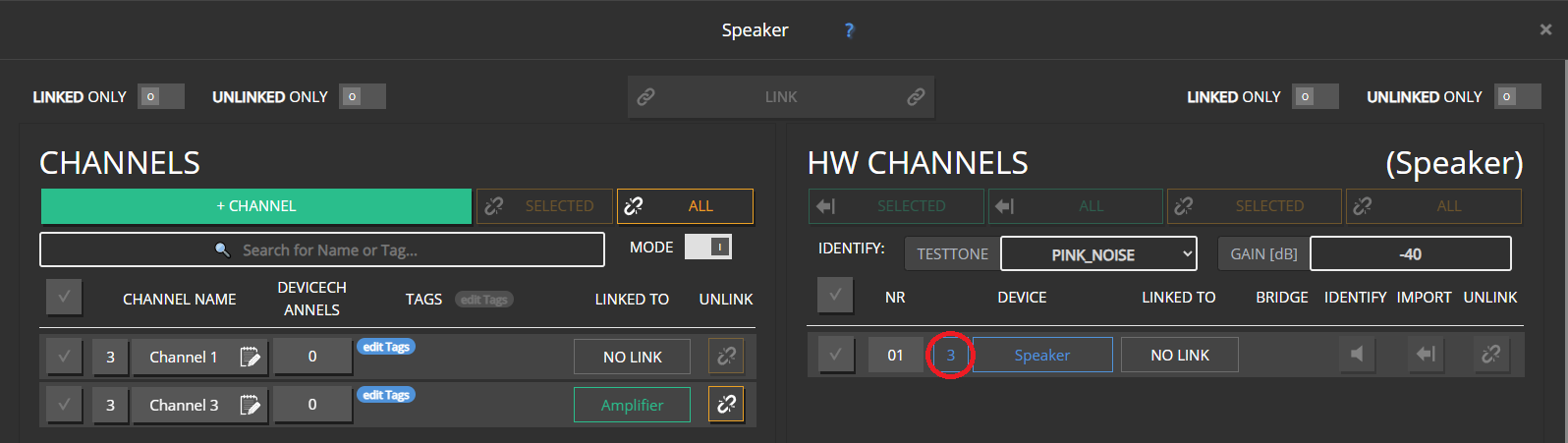
How settings combine
Parent settings and way settings combine much like group + channel. For limited DSP resources (EQ, FIR, limiters, speaker detection), a way’s own settings take precedence when the hardware cannot hold everything. Parent values may already include group contributions.
UI differences
CHANNELS overview
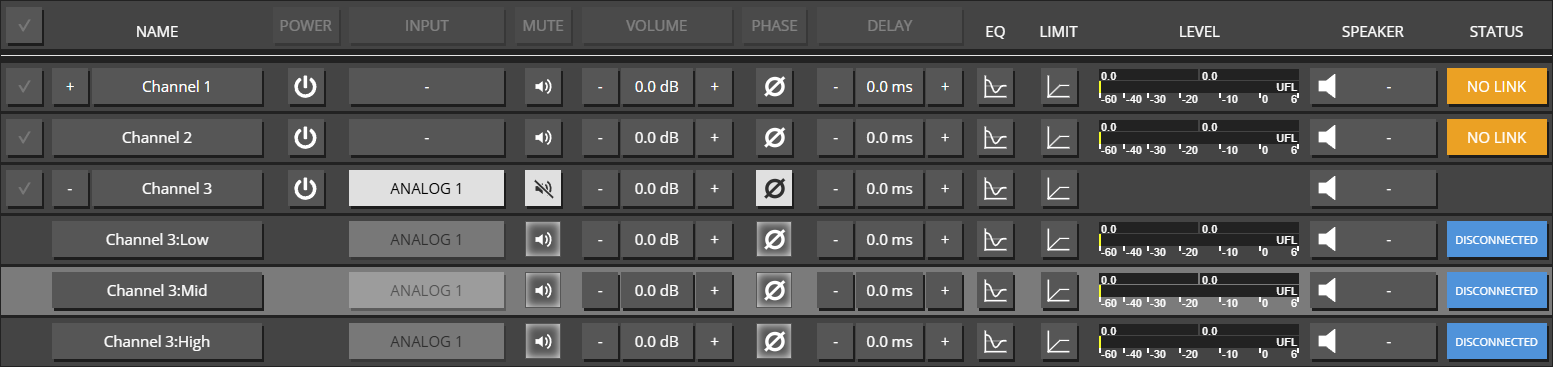
- Ways are not multi-selected for bulk edits — edit the parent for “whole cabinet” changes.
- Ways have no separate power control; INPUT on ways is read-only (inherited).
- Parent level meter shows the combined level of its ways; STATUS combines way status.
Edit dialogs
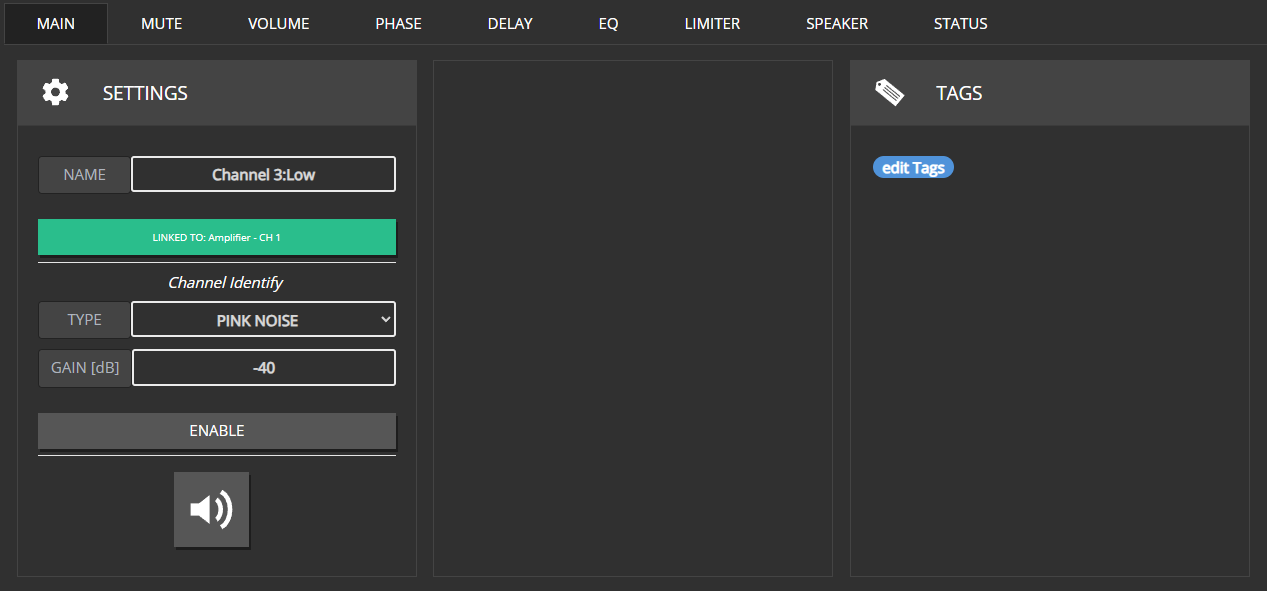
- Way editor: no Power / Input tabs; name read-only; no channel role / multi-way section.
- Parent SPEAKER tab: no one-shot speaker detection (set per way).
- Parent STATUS lists way status (similar to groups listing members).
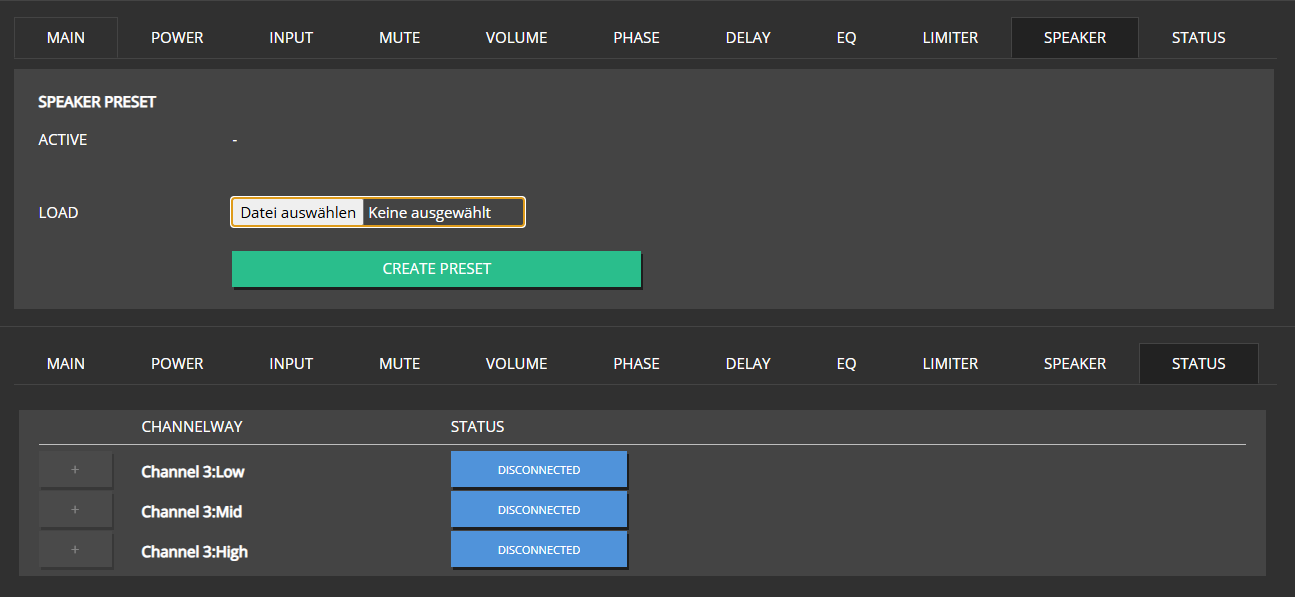
Common mistakes
- Trying to rename or delete a single way — only the parent is editable that way.
- Linking three HW channels out of order without using the CHANNELWAYS tab.
- Applying a 2-way speaker preset to a 3-way parent (Speaker presets).